
Automate GitHub translation for effortless localization
Automatically exchange language files between GitHub and Lokalise, so you can import and export content as soon it’s ready—and keep software up to date in every language.
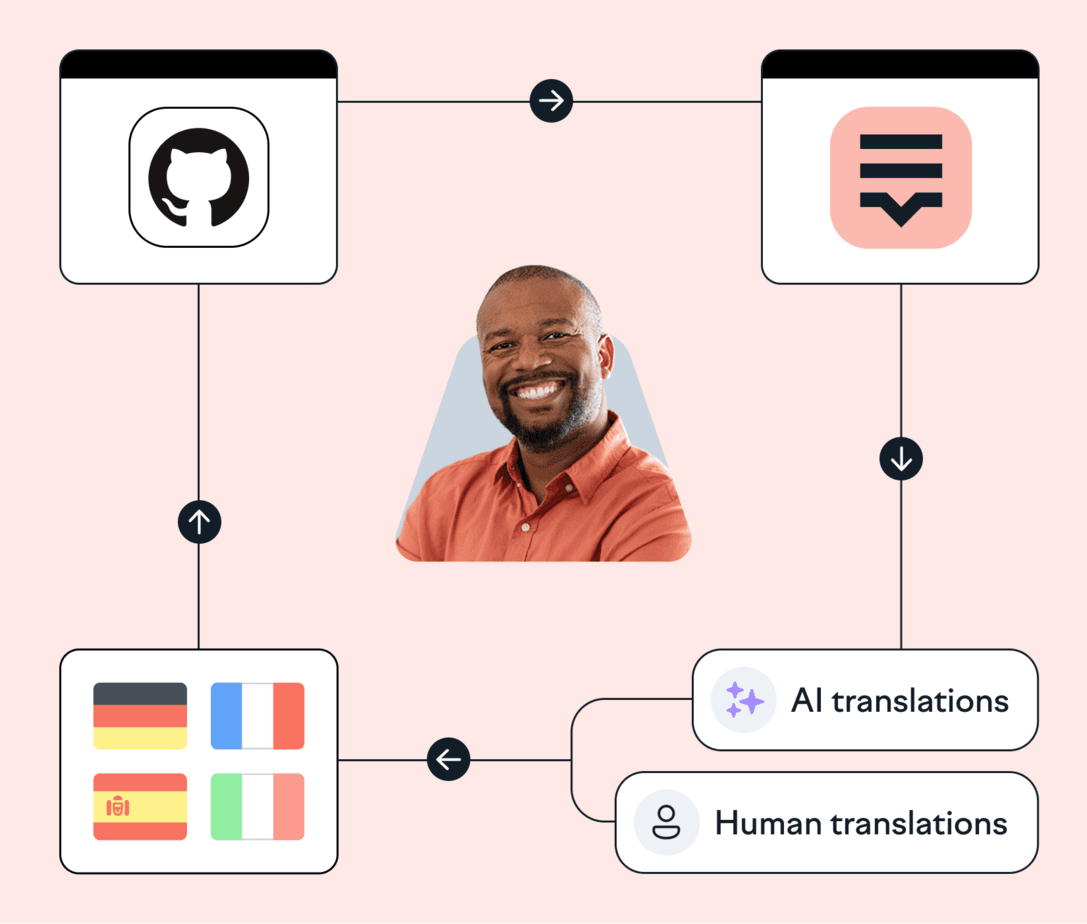
Lokalise is loved by tech teams at 3000+ global companies

























“Engineers don't have to spend time remembering to push up translations and pull them back down, which is great.”
Kate Cobb
Senior Full Stack Engineer


Manage translation files in one place with GitHub and Lokalise
Translate language files hosted on GitHub with just a few clicks.

Automate key entry & updates
Set up auto-pulls to exchange language files between GitHub and your Lokalise project.

Organize localization with GitHub
Always be confident you’re working on the most up-to-date file versions, reducing the risk of bugs and errors.

Never miss translation updates
Manage when and how you exchange information with webhooks and keep track of localization tasks.

Save time updating files
Ditch manual and time-consuming localization processes that lead to missing files, bugs, and delays.
Lokalise GitHub actions
Get access to our open-source GitHub actions, a drop-in solution with minimal config (~5 lines of code) that allows you to schedule import/exports, and even pair with other solutions (for example, to automatically merge pull requests with updated translations).
⚙️ How to set up
Lokalise and GitHub
Go to the ‘Apps’ dashboard inside Lokalise
Search for GitHub and click Install
Click Connect and give Lokalise access rights.
Enter the repository name (prefixed with your organization name) and the branch you want to pull from.
🔧 What you’ll need
Managing translations with GitHub and Lokalise
Pull
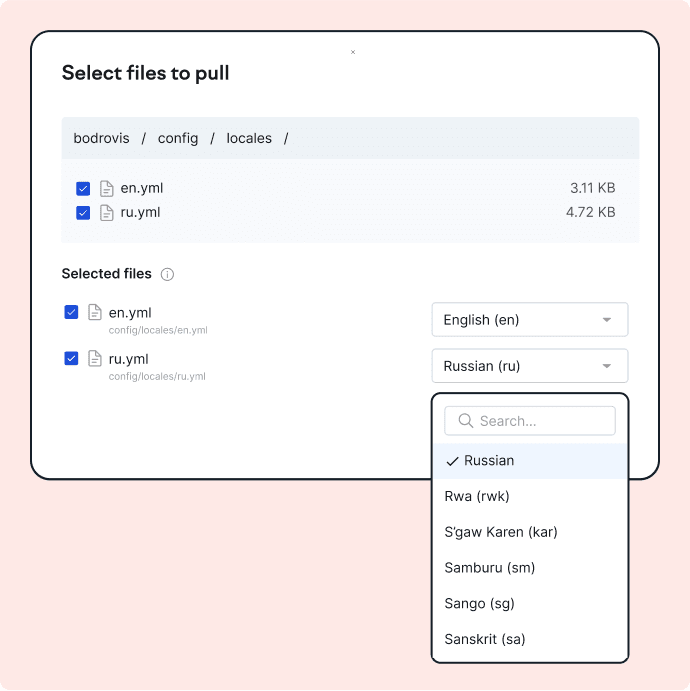
Choose your base language files in GitHub, and import them to Lokalise.
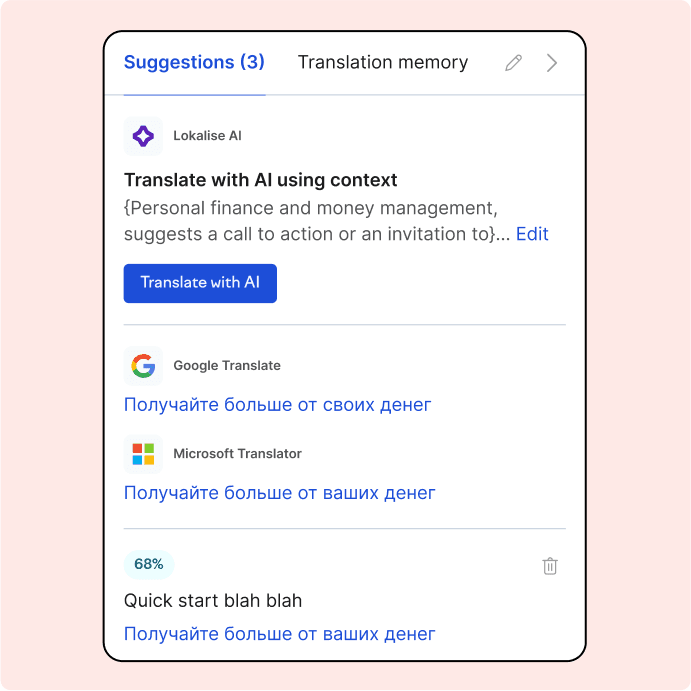
Export
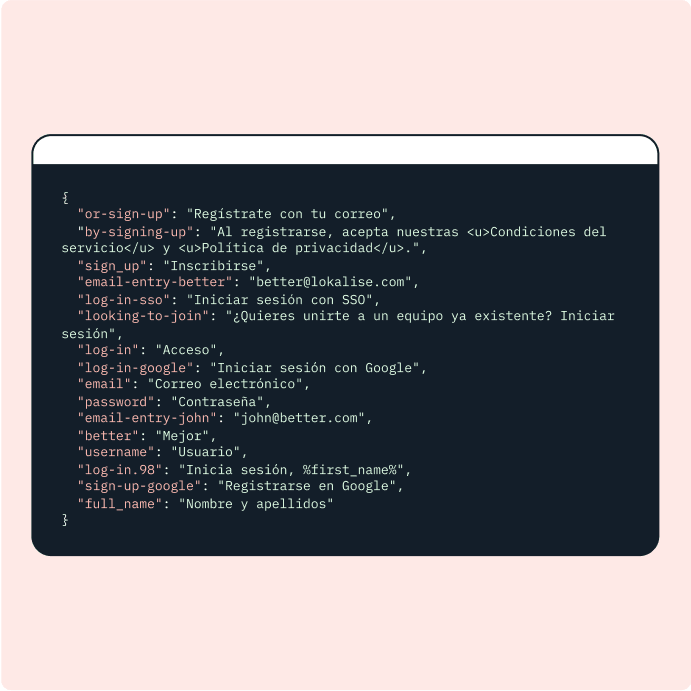
Go to the Download tab inside Lokalise, choose your file format and pull translations to GitHub.
“Our developers refuse to work with any other localization software, and they only want to use Lokalise. It saves them time and energy and removes a lot of pain points.”
Gaia Castronovo
Education Localization Specialist

''One of the benefits is that this process doesn't involve much manual work. We wanted our app release and development process to be frictionless and seamless. With Lokalise, that's doable.''
Yoni Lindenfeld
Co-founder and VP of Engineering

“Our developers refuse to work with any other localization software, and they only want to use Lokalise. It saves them time and energy and removes a lot of pain points.”
Gaia Castronovo
Education Localization Specialist
''One of the benefits is that this process doesn't involve much manual work. We wanted our app release and development process to be frictionless and seamless. With Lokalise, that's doable.''
Yoni Lindenfeld
Co-founder and VP of Engineering
💡 How to set up automatic GitHub translation
Set up a webhook at GitHub to pull content to Lokalise as soon as you push changes to GitHub. In GitHub, navigate to Settings>Webhooks>Add webhook. Copy/paste the Auto-pull URL and Auto-pull secret from Lokalise into GitHub. Finally, enable the Push events trigger.
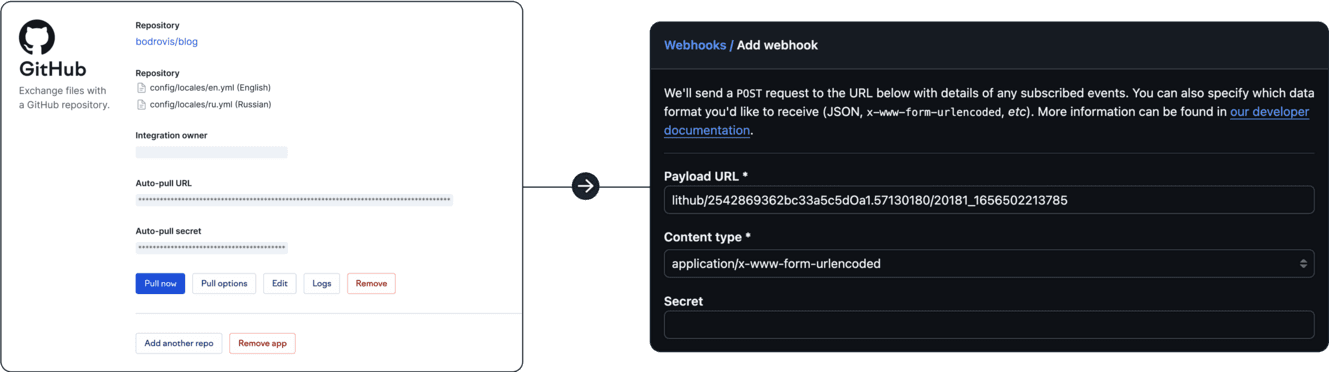
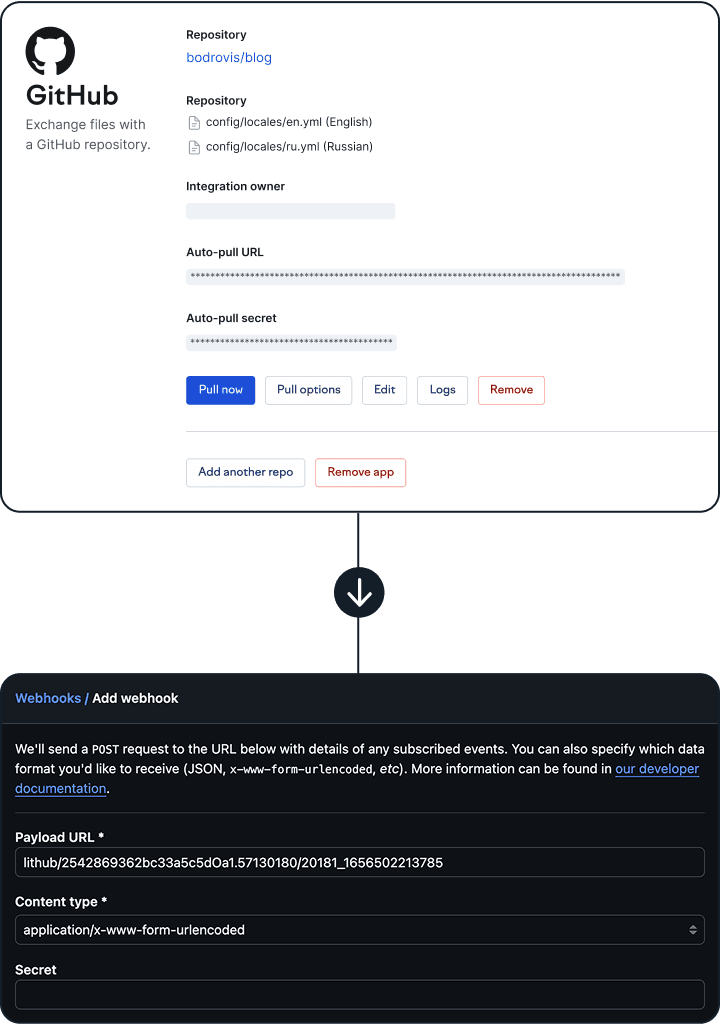
Get GitHub translations in minutes
Automatically exchange translation files between GitHub and Lokalise.
FAQs
How do I create a Pull Request (PR)?
How do I create a Pull Request (PR)?
Go to the Download page on Lokalise, select the relevant options, and trigger GitHub by ticking the GitHub checkbox. Then, click Build only. In this case, the PR will be created in your repo. If you have more than one repo linked to the project, select the appropriate one using the Filter repositories field.
I have updated strings in my GitHub file, but the values are not updating on Lokalise. What am I doing wrong?
I have updated strings in my GitHub file, but the values are not updating on Lokalise. What am I doing wrong?
Make sure that the ''Replace modified values'' option is enabled in the pull settings. You can read more about all the upload parameters in the Upload files article.
How do I make sure the file structure in PR matches the file structure in my repository?
How do I make sure the file structure in PR matches the file structure in my repository?
To match the right structure of your files, you have to name files properly and select the right options when creating a PR. This is easy when enabling "Include full path in the filenames" in the general GitHub app settings. Then during download, select "Multiple files per language (use assigned filenames)", and modify or delete the prefix. Please check the Filenames article for reference.
I have key names that repeat across files. How can I support repeated key names in Lokalise?
I have key names that repeat across files. How can I support repeated key names in Lokalise?
To support repeated key names in Lokalise, make sure that the "Differentiate keys by file" option is enabled in the pull settings.
Why does Lokalise request access to all my repositories?
Why does Lokalise request access to all my repositories?
Lokalise requests access to all repositories to list them during setup so you can specify which repository to connect to Lokalise. There is no more restrictive OAuth scope for this purpose. Once the app is configured, Lokalise only works with the repository you selected. Admin scopes are not required.
What actions does the app use the OAuth token for?
What actions does the app use the OAuth token for?
Lokalise only creates merge requests and fetches the files you selected during setup. The Lokalise GitHub app does not alter the repo’s settings.
Is there any way to restrict the app's permissions?
Is there any way to restrict the app's permissions?
GitHub user permission scopes limit access for OAuth tokens. The Lokalise app’s access is limited by the permissions of the user who configures the integration. If you need to limit the integration’s access to a specific repository, you can do so by limiting the permissions of the authorizing user’s GitHub account.
GitHub users can always revoke a token or edit the token scopes for more control over what the integration can do.
How is my access token stored?
How is my access token stored?
Your token is stored in an encrypted form in our database. The database itself is stored on dedicated servers at the Hetzner Online provider, which ensures top-level physical security. You can learn more on the Hetzner website.
We take regular snapshots of the database and store them in a 256-bit encrypted Amazon S3 bucket for 30 days.
Can I use GitHub Actions in Lokalise?
Can I use GitHub Actions in Lokalise?
Yes. You can manipulate any object or data in your Lokalise workspace that’s accessed using the Lokalise CLI or API with GitHub Actions. Learn more about how to use Github Actions in Lokalise.
Case studies


Behind the scenes of localization with one of Europe’s leading digital health providers
Read more Case studiesSupport

Company
Follow



Localization workflow for your web and mobile apps, games and digital content.
©2017-2026
All Rights Reserved.