
Localize Figma designs before you ship code
Pull translations into Figma, preview languages, and catch text overflow. Localization happens in parallel with design, without leaving the workflow. Works natively in Figma Design and Figma Buzz.
Lokalise is loved by tech teams at 3000+ global companies









What teams use Lokalise + Figma for
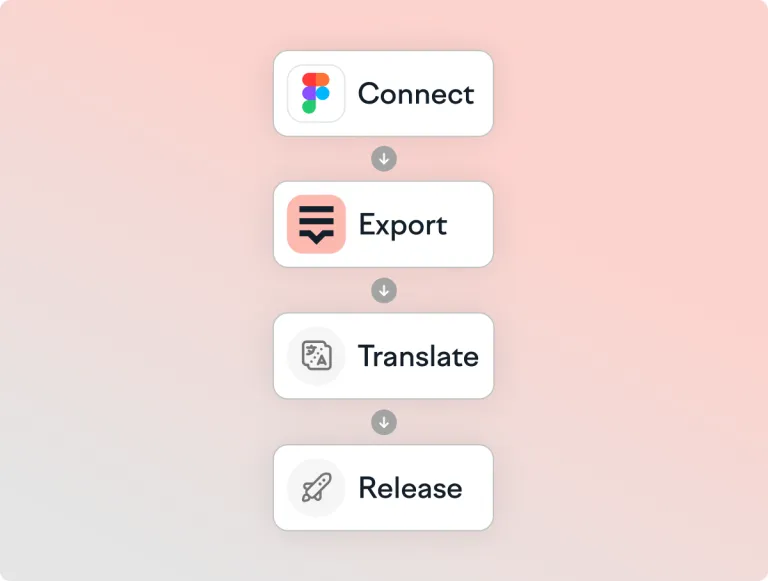
How Lokalise + Figma works
Connect
Install the plugin and authenticate to your workspace. See the setup guide.

Export
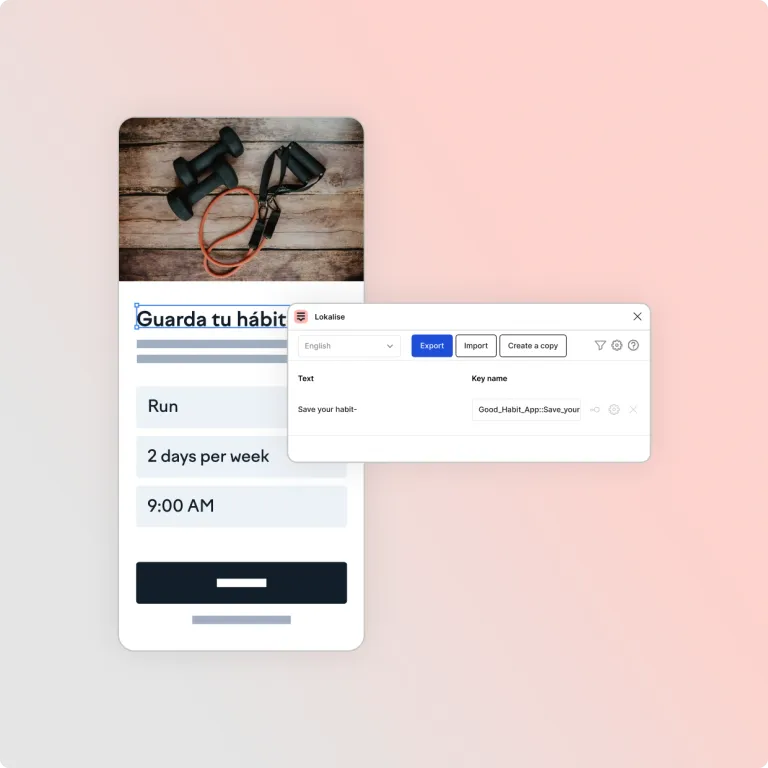
Push keys, strings, and screenshots to Lokalise.

Translate
Use AI, vendors, or your in-house team with full context.

Publish
Pull locales into Figma, toggle languages, and fix overflows.
Connect
Install the plugin and authenticate to your workspace. See the setup guide.
Export
Push keys, strings, and screenshots to Lokalise.
Translate
Use AI, vendors, or your in-house team with full context.
Publish
Pull locales into Figma, toggle languages, and fix overflows.
Why teams choose Lokalise for Figma
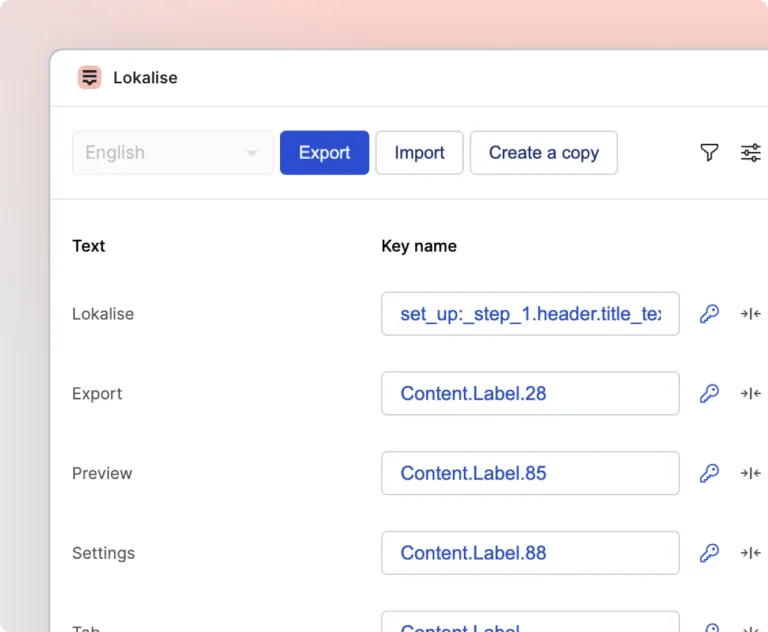
Make every mockup market-ready
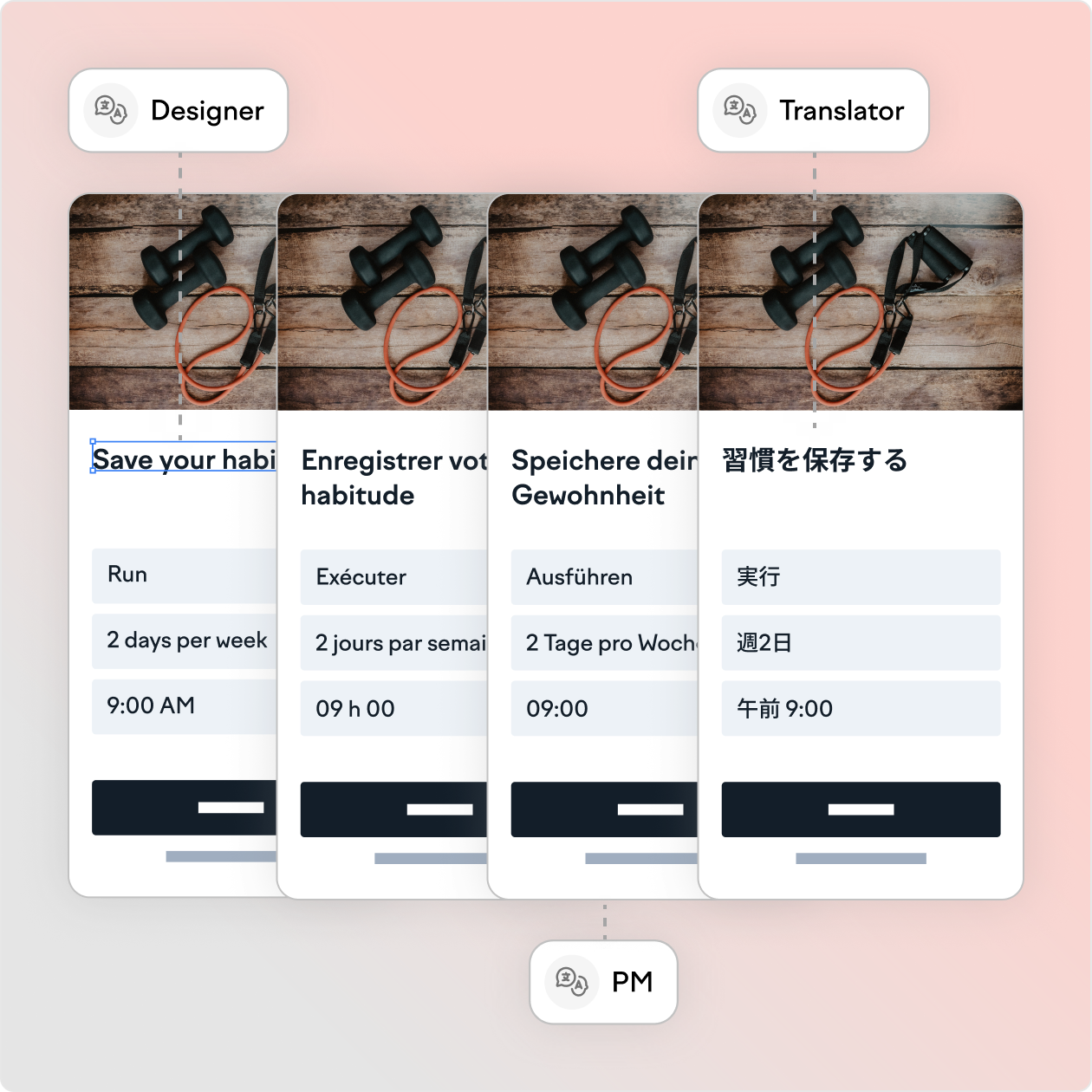
Design-stage localization means the work happens in parallel: designers stop waiting on final copy; product managers validate UX in German, Japanese, and French before the sprint; and by the time a feature is built, it is already ready for every market.
“Thanks to the duplicate feature in the Lokalise plugin for Figma, we went from 10 hours to 1 hour of task management time spent on localizing a new feature. That’s a 90% faster localized feature rollout.”
Romain Dahan
Product Manager (ex-Withings)
“Lokalise has helped us improve app translation quality and UX by 80%.”
Guthrie Watson
Head of Design (UX)

“Thanks to the duplicate feature in the Lokalise plugin for Figma, we went from 10 hours to 1 hour of task management time spent on localizing a new feature. That’s a 90% faster localized feature rollout.”
Romain Dahan
Product Manager (ex-Withings)
“Lokalise has helped us improve app translation quality and UX by 80%.”
Guthrie Watson
Head of Design (UX)
Try Lokalise with your Figma files
Connect the plugin in minutes—free trial, no credit card.
Figma localization FAQs
How can I preview translated strings in my design?
How can I preview translated strings in my design?
You can import translations from Lokalise to Figma with one click and switch to the desired language to preview translations in every language.
How can I choose not to push particular text elements to Lokalise?
How can I choose not to push particular text elements to Lokalise?
You can either select what you want to push or you can hide unnecessary elements from Figma designs.
Can I update the screenshots inside Lokalise if I change my designs?
Can I update the screenshots inside Lokalise if I change my designs?
Yes, simply push the updated designs and check the option to “update screenshots”.
Can I change the key names individually?
Can I change the key names individually?
Yes, you can if the key is not yet created in Lokalise. To achieve that, simply adjust the key names before exporting to Lokalise.
I'm trying to perform a push/pull operation but my translations are not updating in Figma! What should I do?
I'm trying to perform a push/pull operation but my translations are not updating in Figma! What should I do?
The most common case is missing fonts. Specifically, if a Figma file uses a font that is not available on your local PC, you might run into issues with pushing and pulling. The solution is to make sure you have all the necessary fonts locally available.
Is there a view-only mode? Can a user without Figma editor access use this plugin?
Is there a view-only mode? Can a user without Figma editor access use this plugin?
Unfortunately, no. Figma does not support plugins in view-only mode. You’ll need a seat with editor access.
Can I link text fields in Figma to the keys that have already been created in Lokalise?
Can I link text fields in Figma to the keys that have already been created in Lokalise?
Yes, you can choose the existing keys to link your text fields to. This can be done manually or by using the auto-link to existing translations feature before exporting text fields. Please note that the latter will not work if the text fields and the existing keys have different content (in this case manual linking is your only option).
Enable auto-link to existing translations by checking the box in your settings so strings in Figma are matched to existing translations in your Lokalise project. Please note that for this feature to work, your existing keys should have the same platform (Web, Android, iOS, or Other) as the one chosen in Figma.
Why do I have identical text elements in Figma?
Why do I have identical text elements in Figma?
You’ll need to check Merge duplicates in your settings if you have elements with the same text in Figma. That way you can link them to a single new key in Lokalise.
What plugins are the best for automating screenshot uploads from Figma to a localization tool?
What plugins are the best for automating screenshot uploads from Figma to a localization tool?
The Lokalise plugin for Figma is the best option for automating screenshot uploads from Figma to the localization tool. The plugin automatically sends UI screenshots from Figma to Lokalise, so translators get visual context without manual exporting. Additionally, the Screenshots feature links screenshots to translation keys, so each string stays connected to the exact screen it comes from.
Which Figma translation plugin supports real-time text resizing when previewing localized designs?
Which Figma translation plugin supports real-time text resizing when previewing localized designs?
Figma plugin for Lokalise is the top option that supports real-time text resizing when previewing localized designs. You can pull translations into Figma designs in seconds, and toggle between languages to check design flexibility. Figma handles real-time resizing through text resizing settings like Auto width and Auto height, and Auto layout resizes containers based on content. Lokalise adds control by letting teams set character limits per key.
How can I instantly check text expansion in Figma across 10+ languages?
How can I instantly check text expansion in Figma across 10+ languages?
You can use the Lokalise Figma plugin to instantly check text expansion in Figma, across multiple languages. This plugin pulls translations directly into Figma so teams can preview how layouts hold up across many target languages before development.
What tools can translate user comments within Figma?
What tools can translate user comments within Figma?
Figma doesn’t offer a built-in “translate comments” workflow today, and teams still request it as a feature. As a workaround, you can use a browser translator. Chrome can translate pages, and DeepL for Chrome can translate selected text as you read. Keep UI copy and translations in Lokalise as the source of truth for all localization work, and treat comment translation as a reading aid.
Does Lokalise integrate with Figma?
Does Lokalise integrate with Figma?
Yes. Install the official Lokalise plugin from the Figma Community, connect it to your Lokalise workspace, and push or pull strings, keys, screenshots, and translations without leaving Figma.
Is the Lokalise Figma plugin free, and which Lokalise plan do I need?
Is the Lokalise Figma plugin free, and which Lokalise plan do I need?
The Figma Community plugin is free to install. You need a Lokalise account and project to use it; available localization features and usage limits depend on your Lokalise plan. You can start with a free trial and no credit card.
Does Lokalise work with both Figma Design and Figma Buzz?
Does Lokalise work with both Figma Design and Figma Buzz?
Yes. The same Lokalise plugin works with Figma Design and Figma Buzz, so teams can use one connected localization workflow across product designs and marketing assets.
Can't I translate directly in Figma?
Can't I translate directly in Figma?
You can—Figma’s AI capabilities are a genuine step forward, and for quick previews they work well. Lokalise extends them with the localization layer teams need at scale: glossaries and translation memory that keep every market consistent, style guides that protect your brand voice, and review workflows for content that needs human sign-off. Translations made in Lokalise stay reusable across your product, website, and app, so every future translation gets faster and more consistent inside the same Figma workflow.
Can I use Lokalise with Figma's AI agents via MCP?
Can I use Lokalise with Figma's AI agents via MCP?
Yes. The Lokalise MCP is available today—connect it as a connector in Figma’s AI agent and work with Lokalise projects directly from the canvas: create projects, push and pull content, run AI translations, and assign reviews. The plugin remains the quickest path for standard workflows; MCP supports custom workflows around components, variables, and developer handoff. See the Lokalise MCP setup guide.
Does the plugin support components and variables?
Does the plugin support components and variables?
The plugin is designed for text layers and standard design-to-translation workflows, which covers most day-to-day localization work. For text inside components and variables—and richer workflows such as developer handoff inside Figma—use Figma Agents with the Lokalise MCP, which can work with any content in your file. Both connect to the same Lokalise project, so teams often use the plugin for everyday pushes and MCP for design-system content.


Ship Figma designs that work in every language
Design in Figma. Ship in every market.
Case studies


Behind the scenes of localization with one of Europe’s leading digital health providers
Read more Case studiesSupport

Company
Follow



Localization workflow for your web and mobile apps, games and digital content.
©2017-2026
All Rights Reserved.