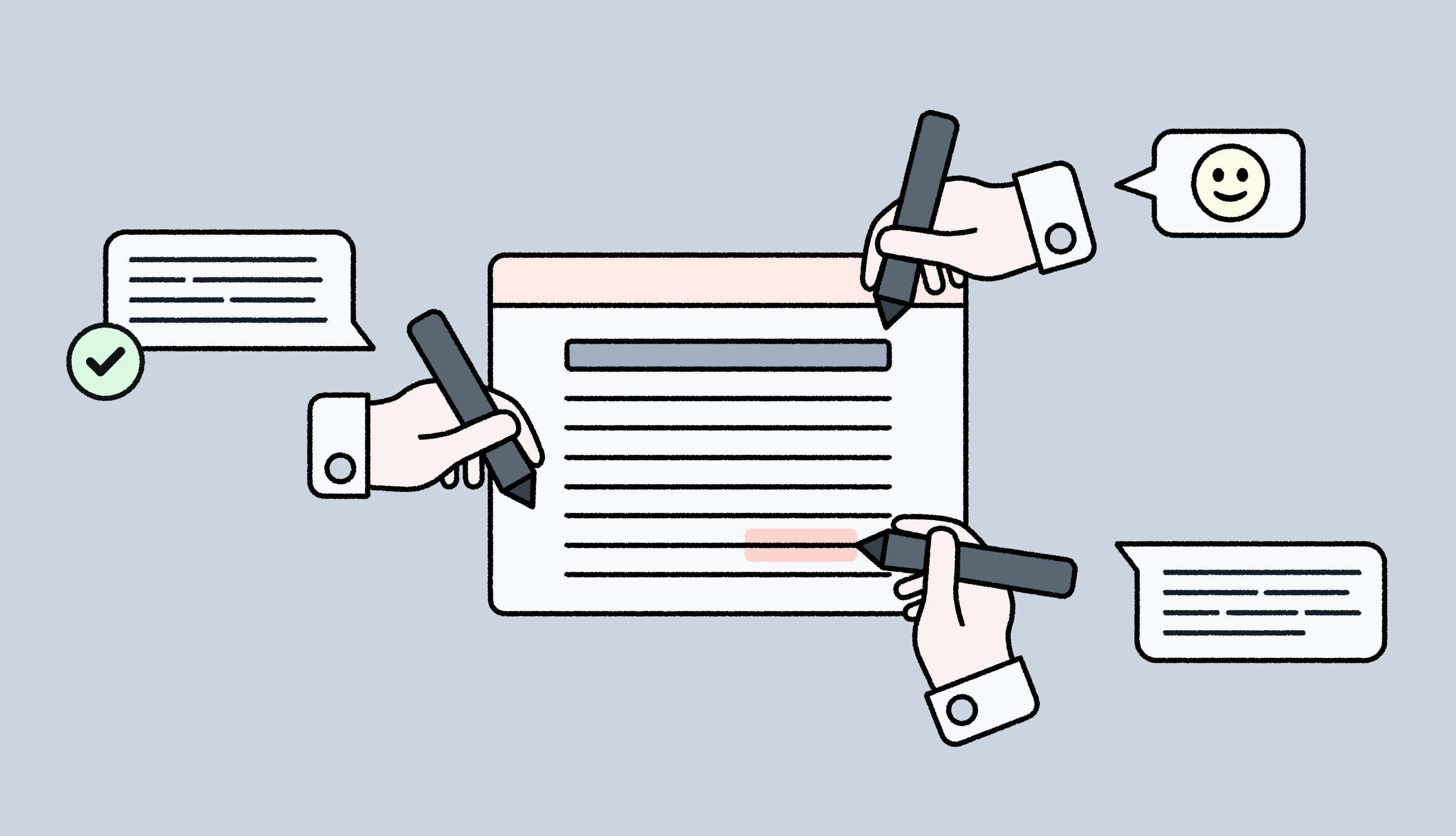
When translators work on a bunch of strings listed in spreadsheets and CSVs, they're essentially flying blind.
Without seeing where these phrases appear, even experienced linguists struggle to make the right call on tone, length, and word choice.
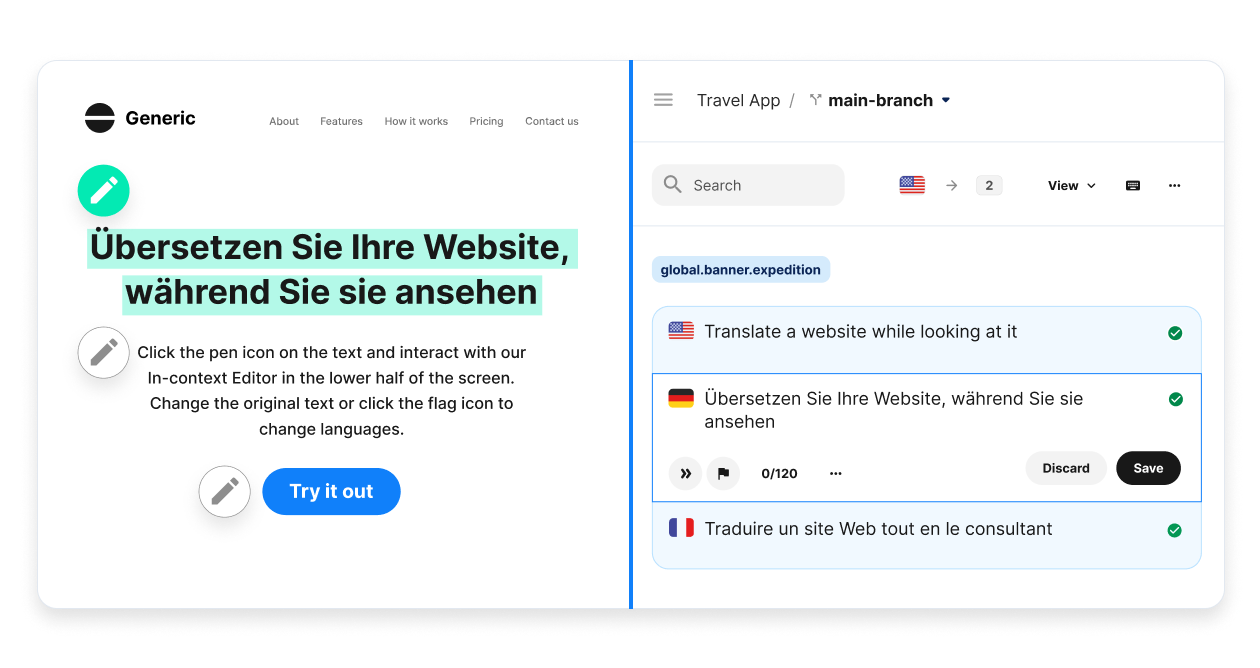
In-context editors (ICE) tools like Lokalise solve this issue by giving translators a real-time preview of the pages or apps they’re translating. So, they can see each string in the actual interface and edit it accordingly.
The payoff: faster turnaround, fewer revision cycles, and translations that fit your design intuitively.
This guide compares the five best ICE tools for localization, breaking down how contextual translation works on each platform and what sets them apart.
TL;DR: Our top recommendations for ICE tools
Feature
Lokalise
Smartling
Crowdin
Phrase
Transifex
Best for
All kinds of teams looking for real-time design feedback
Automatic visual context capture for websites and apps with complex layouts
Agile developer and product teams that need fast, visual context
Companies with heavy CMS usage, design-driven workflows, and need for workflow automation
Product teams in SMBs with simple web/mobile apps, limited dynamic content
Setup method
JavaScript (LiveJS)
JS library, Chrome extension, or proxy
JavaScript (one-line snippet)
JavaScript (one-line snippet)
JavaScript
Real-time editing speed
Instant: Changes appear immediately in browser; no reload needed
Near-instant: Dynamic HTML updates as you type in CAT tool
Instant: Direct DOM manipulation; changes visible immediately
Fast: Translations update on page as you select target language
Moderate: Edits and previews update with some delay; customer reviews and forum threads mention moderate latency
Framework compatibility
React, Vue, Angular, Next.js, i18next; iOS/Android SDKs with OTA
Web-focused; JavaScript library, Chrome extension; no mobile SDKs available
React, Vue, Angular, iOS/Android SDKs with OTA updates
Ruby on Rails, Angular, Symfony, Django, React, i18next; web-only
JavaScript-based; works with any web framework; iOS and Android SDKs
Visual context quality
Very High: LiveJS renders actual production site with real CSS/layout, and design tool sync (Figma/Sketch)
High: Dynamic HTML preview updates in real-time, automated screenshot capture with OCR
High: Direct site overlay with actual styling; handles dynamic content well
Medium-High: Real-time preview on website; Figma preview in CAT editor
Medium-High: Live site rendering via JavaScript; works on actual domain with authentication
👀 Why it’s important to choose the right in-context editor tools
Without an in-context editing tool, your localization team struggles with context deficit.
Context deficit creates information gaps where translators can’t see the placement of keys in the actual UI. As a result, they’re forced to guess the tone, length, and characteristics for every key.
This context deficit can lead to expensive translation errors. A mistranslated CTA can tank your conversion rates, and overflowing text can create friction in your user experience. And your localization team might end up spending a lot of time and effort fixing these errors.
A good ICE tool can prevent this time drain and give translators the full picture before they start editing content, not after deployment.
1. Lokalise: Best in-context editor for real-time visual feedback
Lokalise is the best in-context editor for teams of all sizes that need real-time visual feedback when translating content.
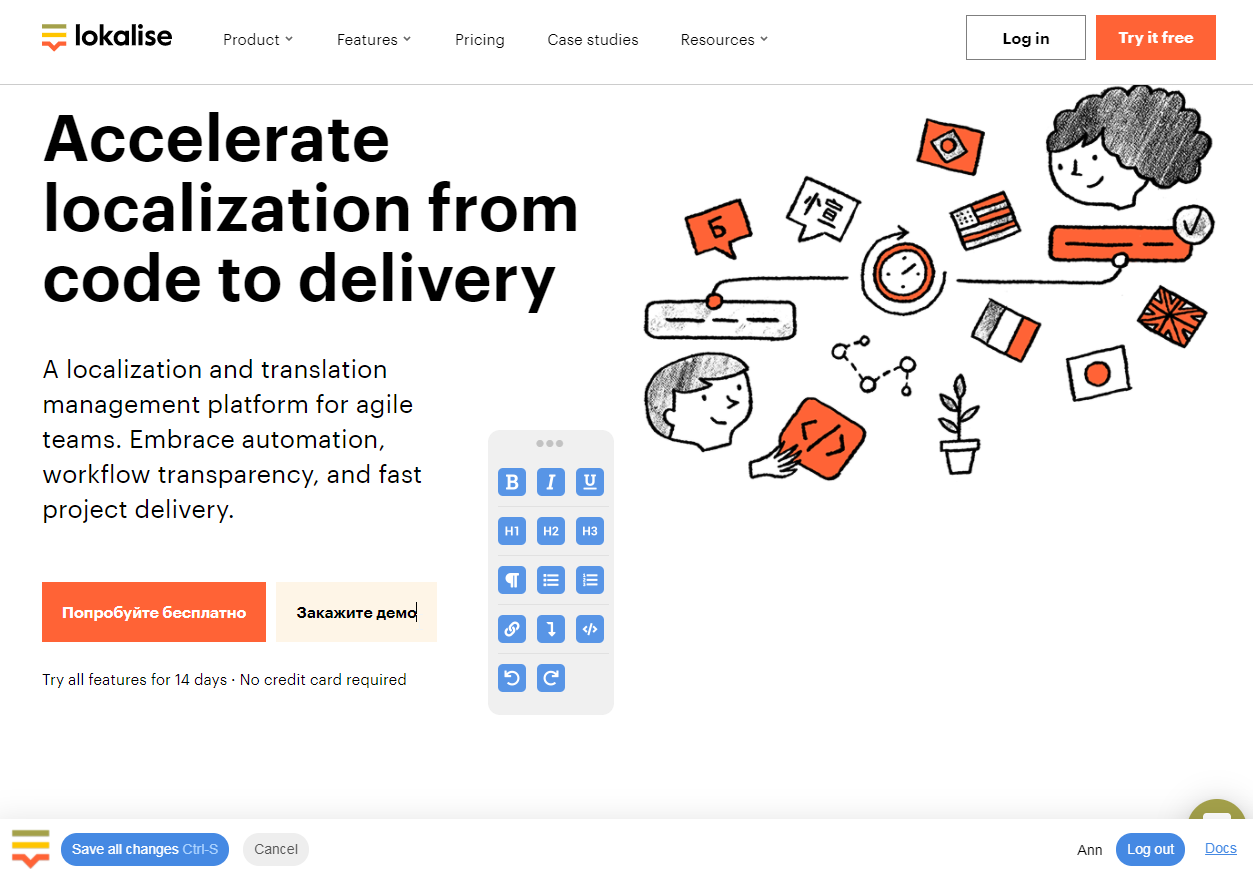
The platform's LiveJS editor allows translators to edit strings while browsing the actual website. Any changes made are instantly visible in the browser. This makes it particularly strong for iterative localization where translators, designers, and product managers need to collaborate on final copy in one place.
Lokalise also syncs with Figma, Sketch, and Adobe XD, pulling in design screenshots and linking them to your translation keys. This means translators can start working before a single line of code is written, and see exactly how the translated copy will look in context across different screens.
⚡Three pillars of context for localization
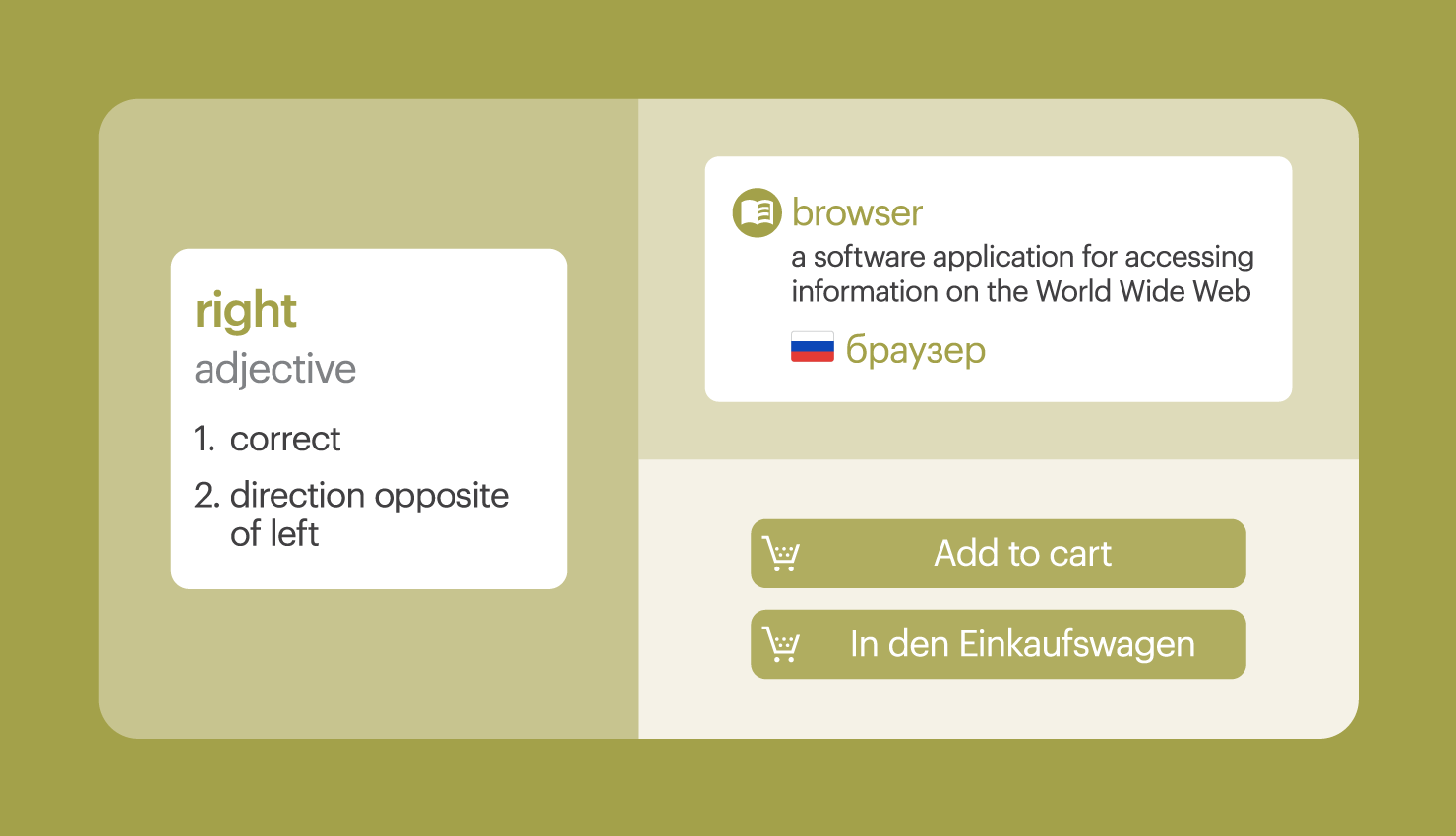
The more context you share with translators, the better output you can receive. With Lokalise, give your translators three types of context:
Situational (audience, tone)
Visual (screenshots, live preview)
Communicative (terminology, glossary terms)
This eliminates back-and-forth questions, reduces revision cycles, and helps translators choose the right words the first time.
Who is Lokalise's in-context editor for
Lokalise's in-context editing tools work best for:
Marketing and content teams managing different assets and campaigns
Product and engineering teams localizing web applications, mobile apps, and SaaS platforms
Designers and QA reviewers who want to catch layout issues, verify translations in context, and approve final copy
While emphasizing the importance of context in the localization process, Julio Leal, Localization Manager at Spendesk, explains how Lokalise makes things easy for his team.
One of the things we love about Lokalise is its screenshot integration, which gives translators immediate contextual information about where their translation will appear. The Figma integration is especially valuable because all that visual context gets imported directly into the strings. Translators no longer have to hesitate or guess the meaning or intent behind an English string—they have everything they need upfront.
Why choose Lokalise's in-context editor
There are three main reasons why Lokalise's in-context editing stands out:
Edit everything seamlessly: Unlike most ICE tools, Lokalise’s in-context editor makes your entire interface translatable, not just body text. That means translators can edit input placeholders, button labels, aria labels, and several default values.
Translations sync to your database instantly: When you save changes, LiveJS can automatically update your production database or local files in real time using custom callbacks.
Works with multiple frameworks: When your app loads new content dynamically (infinite scroll, tab switching, modals), LiveJS automatically detects and makes it editable.
Design-stage localization workflow: Connect Lokalise to your design tool(s) for translation work to start before any code is written. Give translators visual context to catch layout issues early and save engineering time.
AI-powered translations: Describe where your text will show up on a page or app with a few details about your brand and tone. Lokalise’s AI system will generate high-quality, contextually relevant translations in minutes.
👏 xarvio’s case study
xarvio launched its mobile app in 100+ countries and 30 languages, powered by Lokalise. The team uses the in-context editor to instantly preview changes, leave comments for team members, and publish changes to the live app.
Enterprise: Custom pricing with dedicated support, SLAs, and advanced security certifications (ISO 27001, SOC 2 Type II)
LiveJS functionality is available on Growth plans and above.
2. Smartling: Best for automatic visual context capture
Smartling automates visual context capture to show translators what each string looks like in its actual visual environment (website, app, or document).
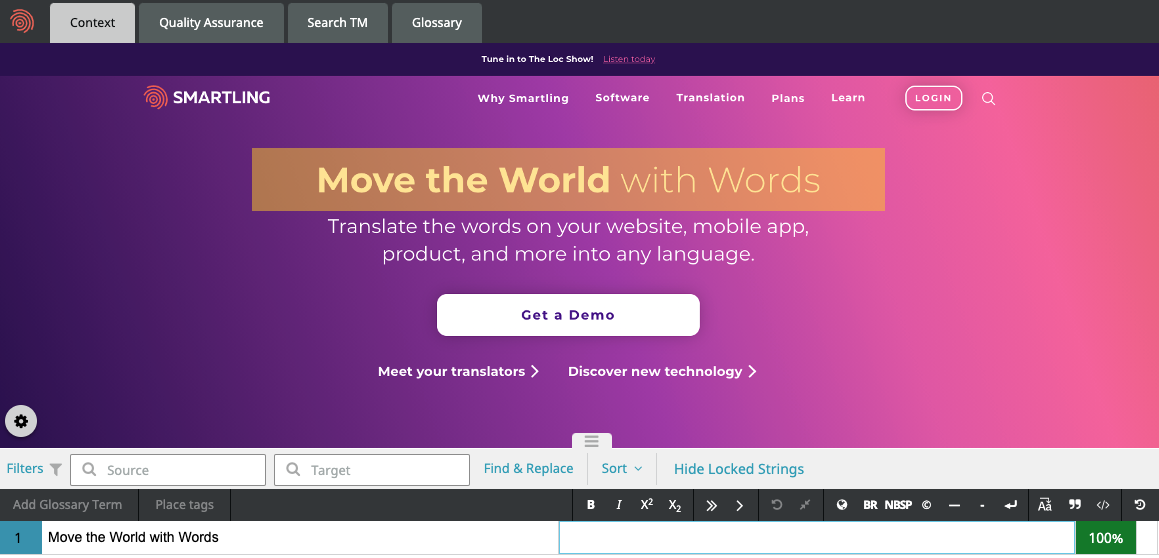
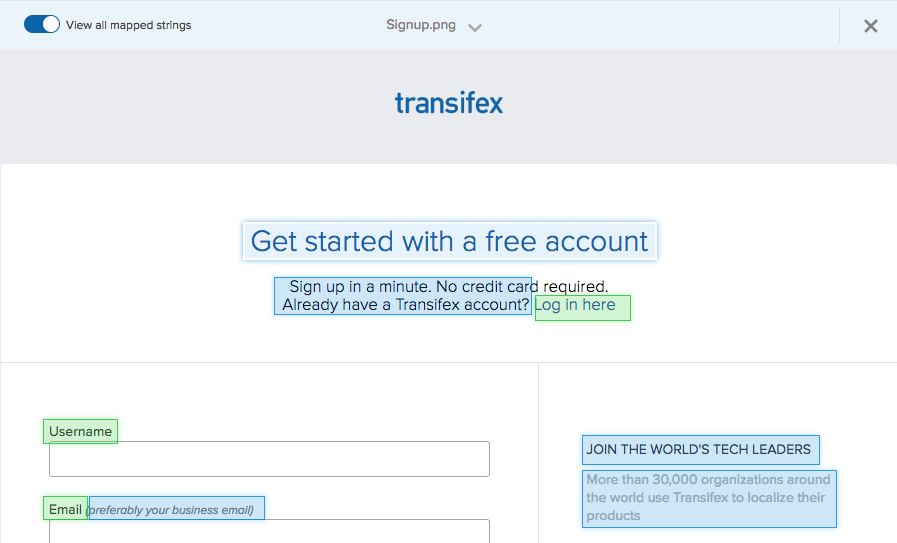
The platform supports both static and dynamic visual context. It automatically scans your website/app/file and captures screenshots of every page. Then, it uses optical character recognition (OCR) to identify translatable text, and binds those text segments to strings in your project to create an interactive HTML preview.
Smartling’s Chrome Extension comes in handy when you want to capture visuals and feed them into its in-context editor tool.
Who is Smartling's in-context editor for
Smartling's in-context capabilities work best for:
E-commerce teams localizing large-scale websites with thousands of pages
Enterprise teams that prioritize a fast turnaround for localization projects with high visual accuracy
Organizations working with internal translators, external agencies, and machine translation, where a consistent visual context improves output
Why choose Smartling's in-context editor
Smartling's visual context system is built around three core capabilities:
Automated context capture: The ICE tool can automatically capture visual context through the JavaScript Context Capture library, Chrome extension, or Global Delivery Network proxy.
Dynamic HTML context: Smartling provides a dynamic preview of HTML-based content. Translators can switch between source and target language views to see exactly how their translations fit in the layout.
Extensive format support: Beyond web content, Smartling provides visual context for dynamic apps, static images, video subtitles, creative files (via Adobe Creative Cloud and Figma integrations), and PDFs.
Smartling also renders HTML context in the RTL direction for languages like Arabic and Hebrew. Plus, its integrations with popular creative tools such as Adobe Creative Cloud (Photoshop, Illustrator, InDesign) and Figma allow you to share visual context easily.
Pricing
Smartling’s pricing isn’t available publicly. It offers tiered plans (Core and Enterprise) with custom quotes based on volume of content, number of languages, and scope of automation. Visual Context is included in both tiers.
3. Crowdin: Best for a simplified setup and QA focus
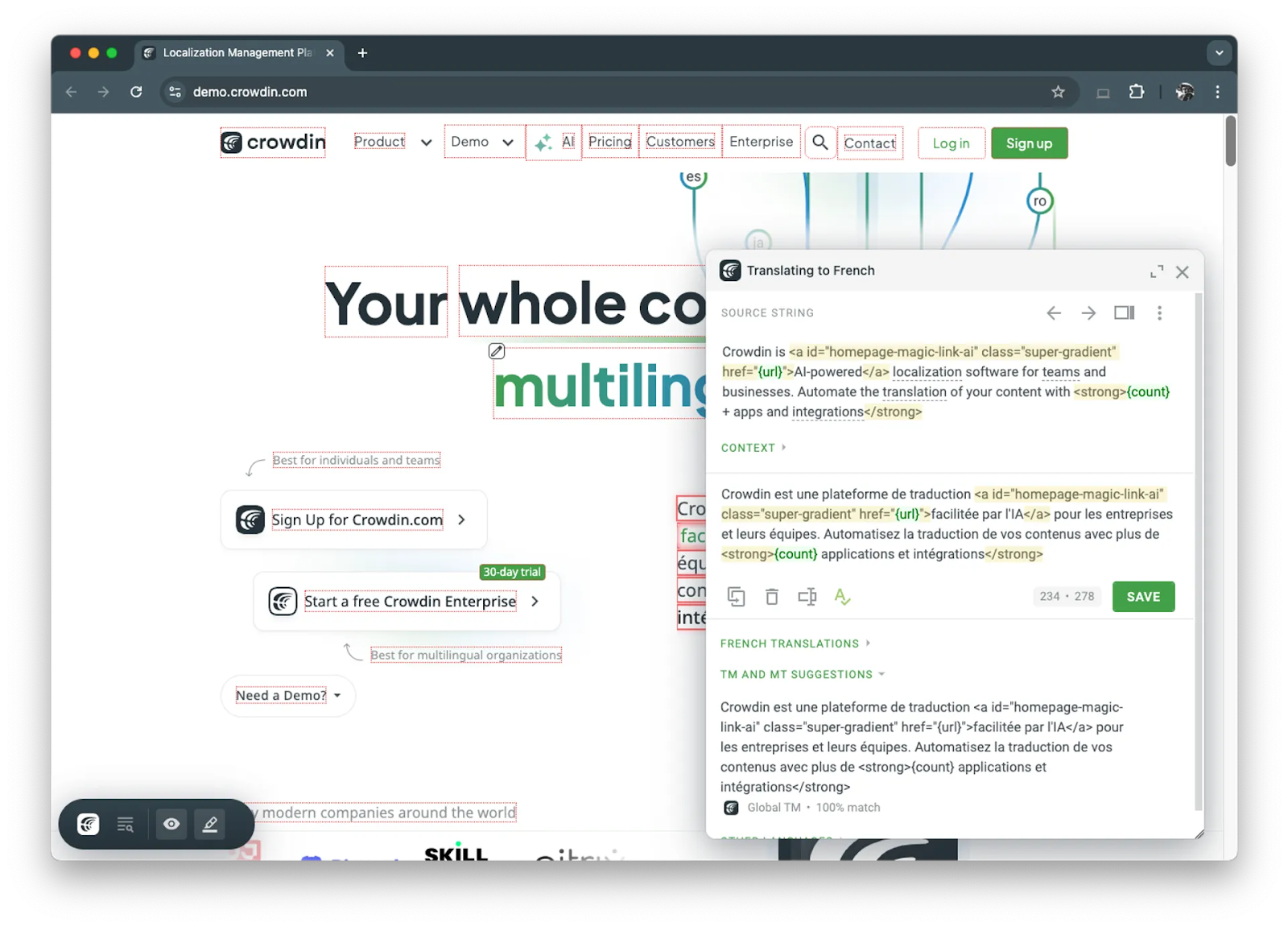
Crowdin creates an overlay for your website or app, allowing translators to make changes in any target language directly on the interface. Once you add a one-live JavaScript transcript to your website or app, its in-context editor makes all the text editable. It uses a pseudo-language to give each string a special identifier. So, when translators make changes, the tool knows which strings to replace based on the identifiers.
Put simply, its ICE tool creates a high-fidelity translation environment. Click on any text to open the editor panel with that string's context, translation history, and suggestions.
Crowdin’s in-context editing function also doubles as a QA tool because it offers real-time visibility into your localized sites/apps. Project managers can use this to review translations in situ and approve or reject them on the spot.
Who is Crowdin's in-context editor for
Crowdin's in-context localization works best for:
Developers localizing web apps where immediate visual feedback speeds up the deployment cycle
QA and localization managers who want to review translations in the actual production or staging environment
Teams that want translators to work directly inside the app instead of relying only on screenshots or string IDs
Why choose Crowdin's in-context editor
Crowdin's in-context approach stands out for three reasons:
Multiple translation environments: Use Crowdin’s ICE tool in staging environments for internal teams or directly on production sites without code changes. You control who sees the editing view.
Built-in QA workflow: Translators get an immediate feedback loop where they can instantly catch issues like button text overflow or misaligned labels instead of a separate QA phase.
Updated screenshots: Crowdin can capture and tag screenshots automatically as you browse your site or app. This makes it easy to keep visual context up to date as your interface evolves.
What stands out about Crowdin’s in-context editing tool is its technology-agnostic nature. It works with any tech stack as long as you configure it correctly with its JavaScript snippet.
Pricing
Crowdin has a free Open Source license. Paid plans start from $50/month (billed annually). In-context localization is available on Team and Team+ plans.
4. Phrase: Best in-context editing for software localization
Phrase Strings’ in-context editor is specifically designed for software localization. It works with key-value localization file structures common in web apps, mobile sites, and SaaS platforms. That said, it also supports other content types like websites, mobile sites, and more.
Instead of creating a visual overlay, the tool lets you work with the Strings editor with multilingual view, batch actions, translation memory, and collaboration features.
One of its standout features is Context View. It tracks where each translation key appears on your website. When you’re in the Strings editor, click on any key to jump directly to its location on the live site.
Who is Phrase Strings' in-context editor for
Phrase Strings' ICE works best for:
Product and engineering teams localizing web applications, SaaS platforms, and mobile sites using key-value localization structures
Design teams who want to sync designs with Phrase Strings and preview translations directly in Figma layouts
Software companies with continuous delivery workflows where translators need to see changes reflected on staging environments in real time
Why choose Phrase Strings' in-context editor
Phrase Strings' ICE stands out for three reasons specific to software localization:
Integration with multiple web frameworks: Phrase provides official adapters for Ruby on Rails (i18n), AngularJS, Symfony, Django, and i18next. These adapters create special identifiers that ICE can read.
Real-time translation preview: When translators select a target language in the ICE interface, their translations automatically show up on the page. Any changes in translation also show up dynamically.
Key status indicators: The tool marks each key with status buttons (edit existing keys, add missing keys, etc.). This makes it easier to make sure you don’t overlook any key.
Phrase Strings’ ICE tool also bridges the gap between design and development workflows with its Figma plugin. Translators can get a live Figma preview to see translation changes in the design layout.
Pricing
Phrase offers plans for different types of users.
Freelancer: starts at $27/month (ICE available on Professional plan and above)
Developer and Designer: starts at $525/month
Team: starts at $1,045/month
ICE is available on Professional plan and above for freelancers and all other plans for developers and teams.
5. Transifex: Best for website localization without code changes
Transifex Live is an in-context editor for localizing your website and landing pages. Like Smartling, the tool uses a JavaScript snippet to create an editable translation layer for your site’s interface. Click any highlighted string, translate it in the panel, and get an instant preview. So translators can see how their work affects the design output in real time.
A key differentiator for Transifex Live is that it works with both static and dynamic content, including gated pages. That means you can localize customer portals, web apps, and private pages without any coding or deployment needs.
Besides, the Transifex editor is available within the Transifex Live window. So, you can easily access tools like machine translation, glossary, translation memory, and more.
Who is Transifex Live’s in-context editor for
Transifex Live works best for:
Marketing teams managing website localization and search engine optimization
E-commerce brands localizing product pages, landing pages, or campaign microsites
SaaS companies localizing web applications, customer portals, and dashboards
Why choose Transifex Live’s in-context editor
Transifex Live's in-context editor offers three core strengths:
No-code deployment: Instantly publish your translated pages on the website without any coding requirements. Marketing teams can launch pages in a new language or fix mistakes quickly.
Works for private pages: Unlike tools that only work on public sites, Transifex Live runs directly on your domain. This means you can translate customer portals, dashboards, web apps, and any content behind authentication.
Context for files: When working in the standard Transifex Editor (not Live), translators see a list of URLs where each string appears, providing context even for file-based workflows.
Pricing
Transifex offers a volume-based pricing plan, starting with $135/month. Transifex Live is included in Growth and Enterprise+ plans, while the free tier has limited Live functionality.
What is an in-context editing (ICE) tool?
An in-context editor (ICE) allows translators, designers, QA reviewers, and all contributors to directly view every string in a translatable interface and preview the changes in real time.
This real-time visual feedback eliminates the guesswork that goes into translating abstract strings in a CSV file or translation management system.
Instead of seeing “homepage.cta.button”: “Get Started” in a spreadsheet, you can click on the actual interface and see how this button looks. Edit it to see how the translated version looks and make changes to adapt according to the layout constraints and design requirements.
Three key benefits of ICE tools for your localization workflow
In-context editing tools solve three fundamental problems that slow localization projects and inflate costs:
Quality assurance
Linguistic accuracy
Workflow efficiency
1. Translators proactively catch layout issues
When a German translation pushes a button label outside its container, translators see it immediately in the actual interface. They adjust the copy before the string enters your codebase.
This removes the inevitable delays when designers discover this overflow issue and wait for translators’ availability to fix it.
2. Context determines translation accuracy
The word “home” translates differently depending on whether it appears in navigation ("Home"), real estate listings ("Haus"), or welcome messages ("Zuhause" or "Willkommen").
ICE tools show translators the exact UI placement for every string. As a result, they can choose the right words for the intended tone.
3. Turn multiple review cycles into one step
ICE tools compress the traditional “translate-review-revise-deploy” cycle into a single step. In this cycle, each iteration adds wait time and context-switching overhead.
With in-context editing, translators see issues, fix them, and confirm visual fit in one go. This can reduce iteration cycles and cut project timelines from weeks to days.
Now, let’s jump to our recommendations for the top ICE tools in the market.
Choose the best in-context editor for your team
With all these in-context editors, you’re likely wondering which one is the best one for your needs. The choice ultimately comes down to your content type, team structure, and workflow priorities.
So, pilot 2-3 tools on a free trial and work with your translators to evaluate the translation experience. While testing different options, you can also track turnaround time and revision cycles to compare different options.
More importantly, see which ICE tool integrates seamlessly with your CMS, design tools, and deployment pipeline. If you’re still doing manual busywork in this workflow, you need a better solution.
That’s why Lokalise is the best in-context editing tool for all kinds of use cases. The platform’s in-context editing capabilities are designed for real-time visual feedback combined with design tool integration. So, translators, designers, QA reviewers, and developers are all in the loop of what’s working.
Shreelekha has spent the last 7 years helping B2B brands tell their stories through product-led content. Her ability to perform deep, journalistic research and build engaging narratives around complex topics is one of her strongest suits.
Thanks to her collaboration with eCommerce-focused brands, she's written extensively about international growth and gained firsthand experience in localized marketing. As she researched markets across Europe, the Americas, and Asia, she developed an instinct for cultural nuances that shape how different audiences engage with content. This sparked a deeper curiosity about how people navigate the virtual world. Through her contributions to the Lokalise blog, she's pursuing this curiosity.
Shreelekha is also skilled at creating product-led content. Her work with brands like WordPress, Backlinko, Softr, and Riverside continues to hone her skills as a writer, researcher, and marketer.
A big football and F1 fan, Shreelekha is currently learning Spanish and Japanese to feel more connected to her favorite sports and athletes.
Shreelekha has spent the last 7 years helping B2B brands tell their stories through product-led content. Her ability to perform deep, journalistic research and build engaging narratives around complex topics is one of her strongest suits.
Thanks to her collaboration with eCommerce-focused brands, she's written extensively about international growth and gained firsthand experience in localized marketing. As she researched markets across Europe, the Americas, and Asia, she developed an instinct for cultural nuances that shape how different audiences engage with content. This sparked a deeper curiosity about how people navigate the virtual world. Through her contributions to the Lokalise blog, she's pursuing this curiosity.
Shreelekha is also skilled at creating product-led content. Her work with brands like WordPress, Backlinko, Softr, and Riverside continues to hone her skills as a writer, researcher, and marketer.
A big football and F1 fan, Shreelekha is currently learning Spanish and Japanese to feel more connected to her favorite sports and athletes.
Why is it so hard to get translations that tick all these boxes? Sensitive to cultural normsIndustry-specificOn-brandAccurate If you’ve translated product copy, marketing content, or anything else in the past, you’ll know that it’s hard to get translations right—at least the first time around. This is where many begin asking: what is AI transl
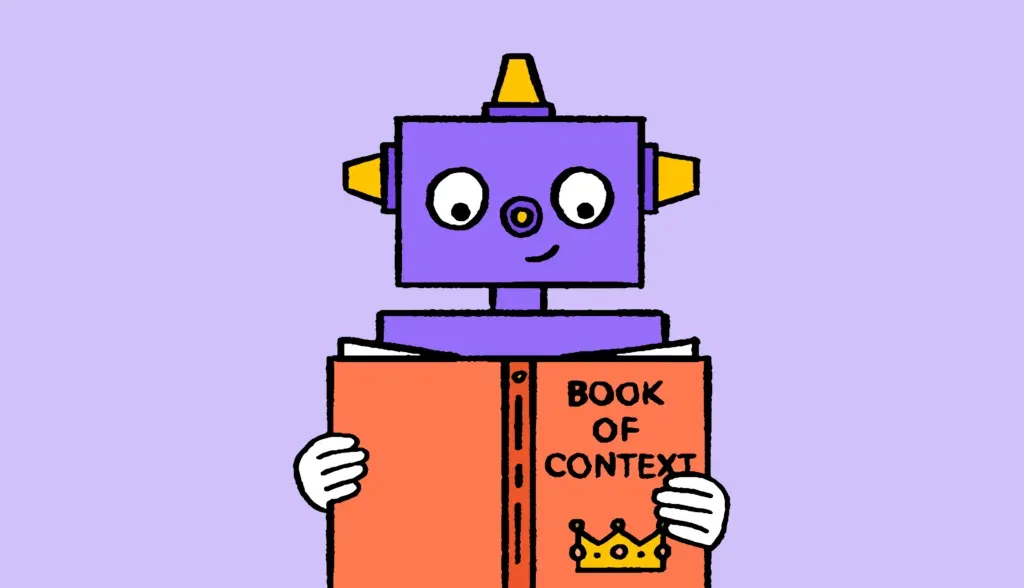
The 3-pillars of context that will improve your translations
To put it simply, the more context (communicative, situational, and visual) you provide to your translation team, the better quality translations you will receive. It’s a no-brainer, enabling your translators to translate in context is a win win. The more you put in, the more you get out. One question I often receive from companies interested in using a TMS (
Too Many Tools, Too Little Time: How Context Switching Is Killing Team Flow
Modern teams rely on digital tools to get work done, but when the tech stack grows too large, productivity starts to slip. To better understand how tool overload affects knowledge workers, Lokalise surveyed 1,000 U.S. white-collar professionals across 11 industries whose jobs rely on digital tools. The results reveal just how much context switching, notifications, and redundant platforms cost teams in time, focus, and well-being. Key takeaways