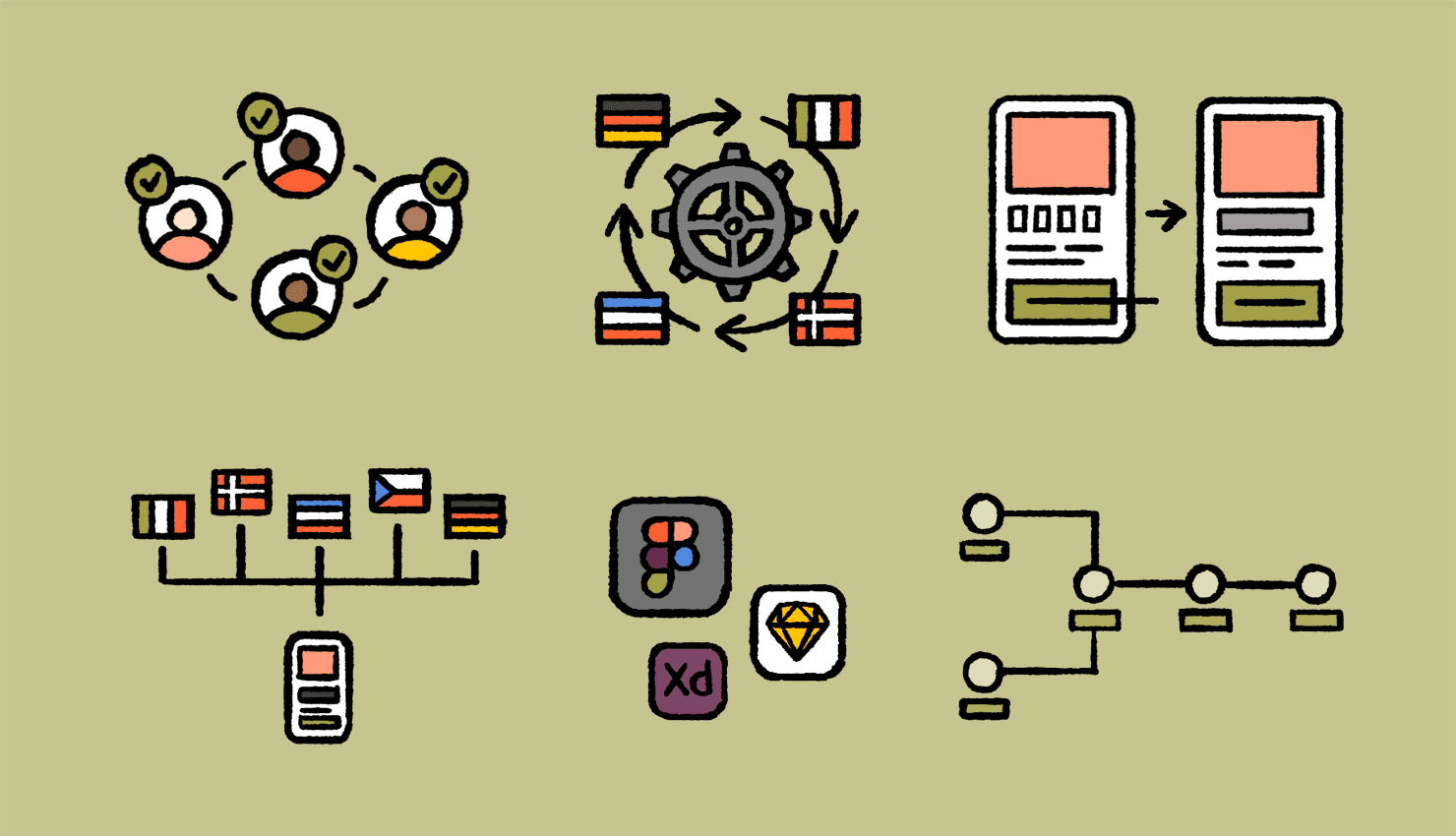
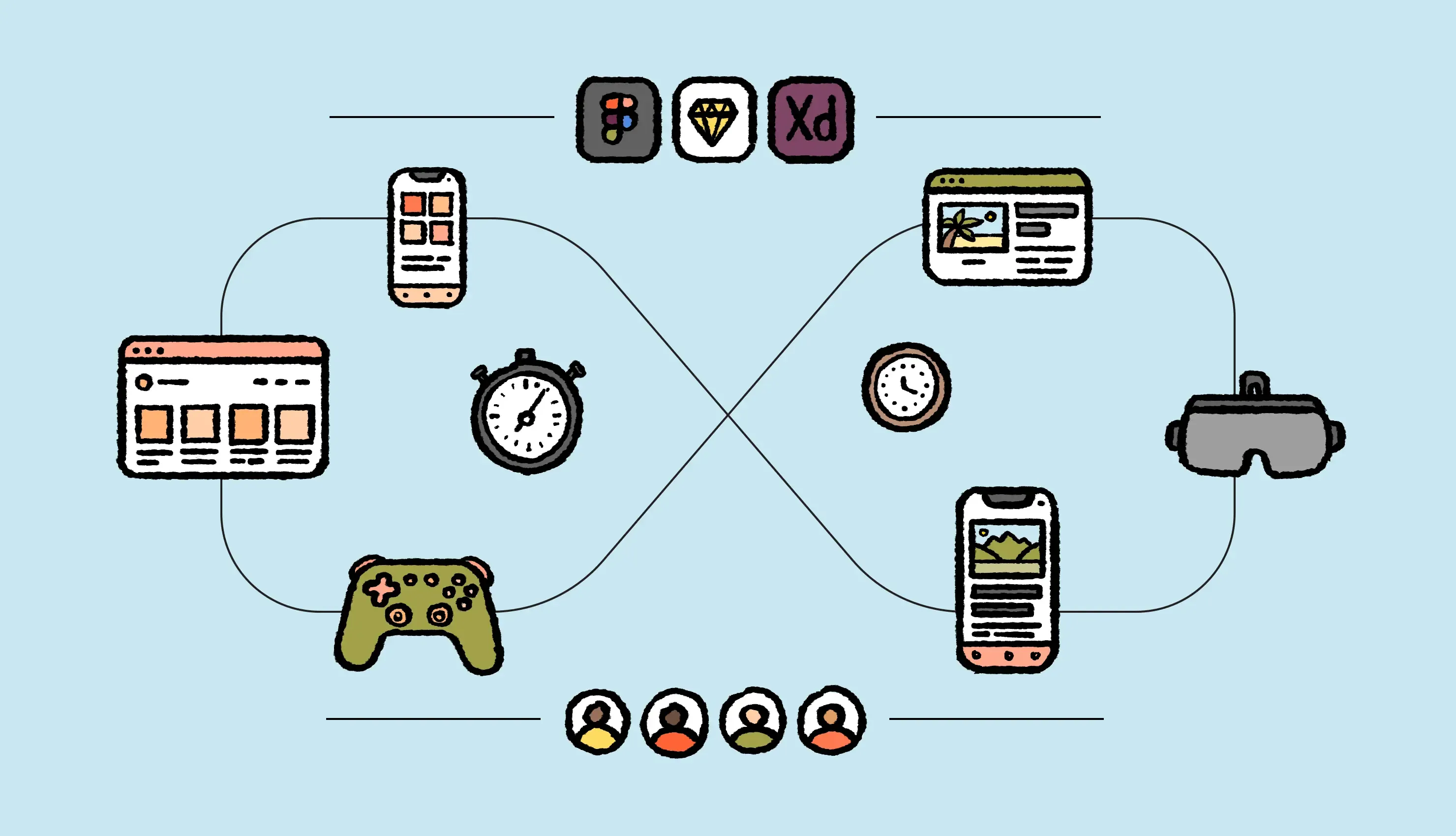
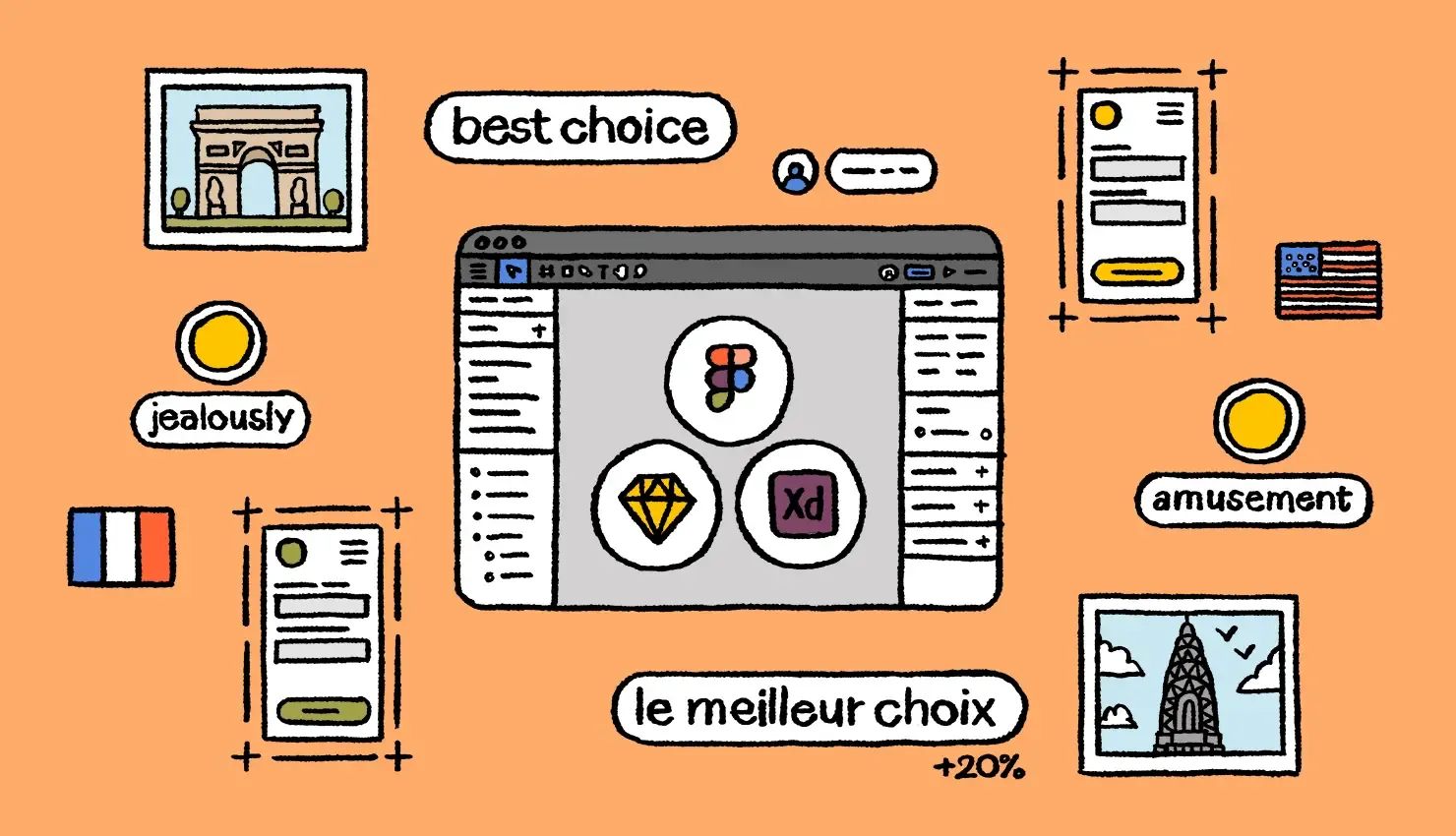
Designers work in Figma. Developers work in GitHub. Localization teams work in localization software.
Each team operates in isolation, creating context-switching delays that slow down your launch timelines.
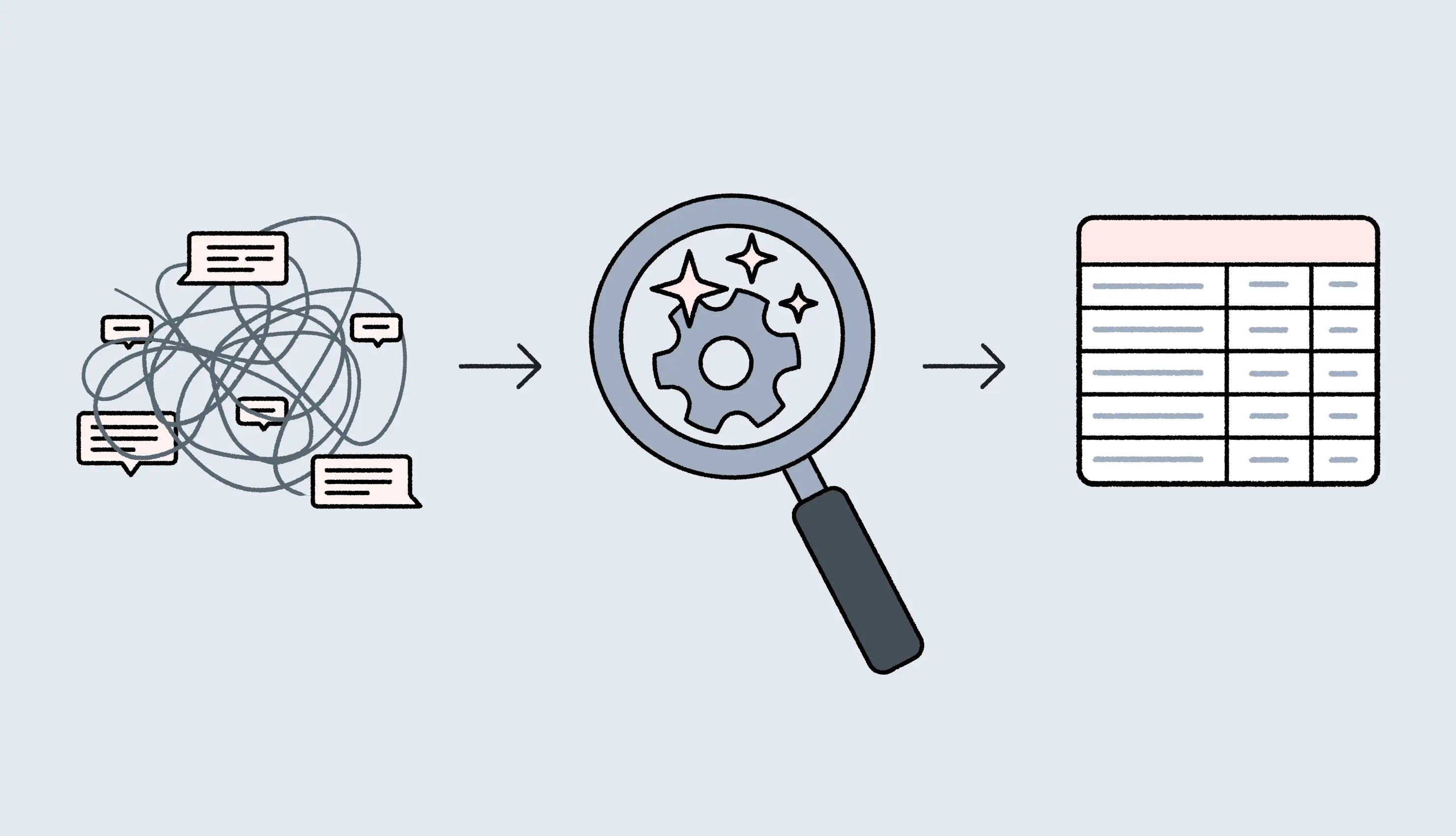
Design-stage localization changes this equation bringing translation into the design phase. And with AI integrated into your setup, this process can become even faster.
Instead of waiting days for translations, designers get AI-translated strings in minutes. They can validate every element in their layout designs, like how “Sign Up” affects button layouts across 12 languages—all within Figma, before writing any code.
This means you can quickly test designs before they go to production and prevent delays later in the process.
In short: AI speeds up the whole process and helps translation keep up with the speed of development.
🎯Learn how to use AI in your design-stage localization setup
In this article, we break down five ways AI tackles common blockers in your localization process. We’ll explore different AI use cases to validate multilingual design layouts in real time, keep localization in sync with development, free up your linguists’ bandwidth, and more.
What is design-stage localization?
Design-stage localization treats localization as a critical step in your design and development cycle instead of a post-launch task.
Your localization, design, and development teams work in tandem. Designers create mockups for multiple languages, linguists share translated files to validate these layouts, and your team identifies issues before writing a single line of code. Once validated, developers build features with translations already in place.
How AI can impact your design-stage localization setup
AI-powered design-stage localization is rapidly becoming the gold standard for many software teams. Translation can happen as fast as design iterations and development, creating truly parallel workflows.
Let’s break down five meaningful ways AI can impact your design-stage localization process.
1. Instantly test your designs in multiple languages before development
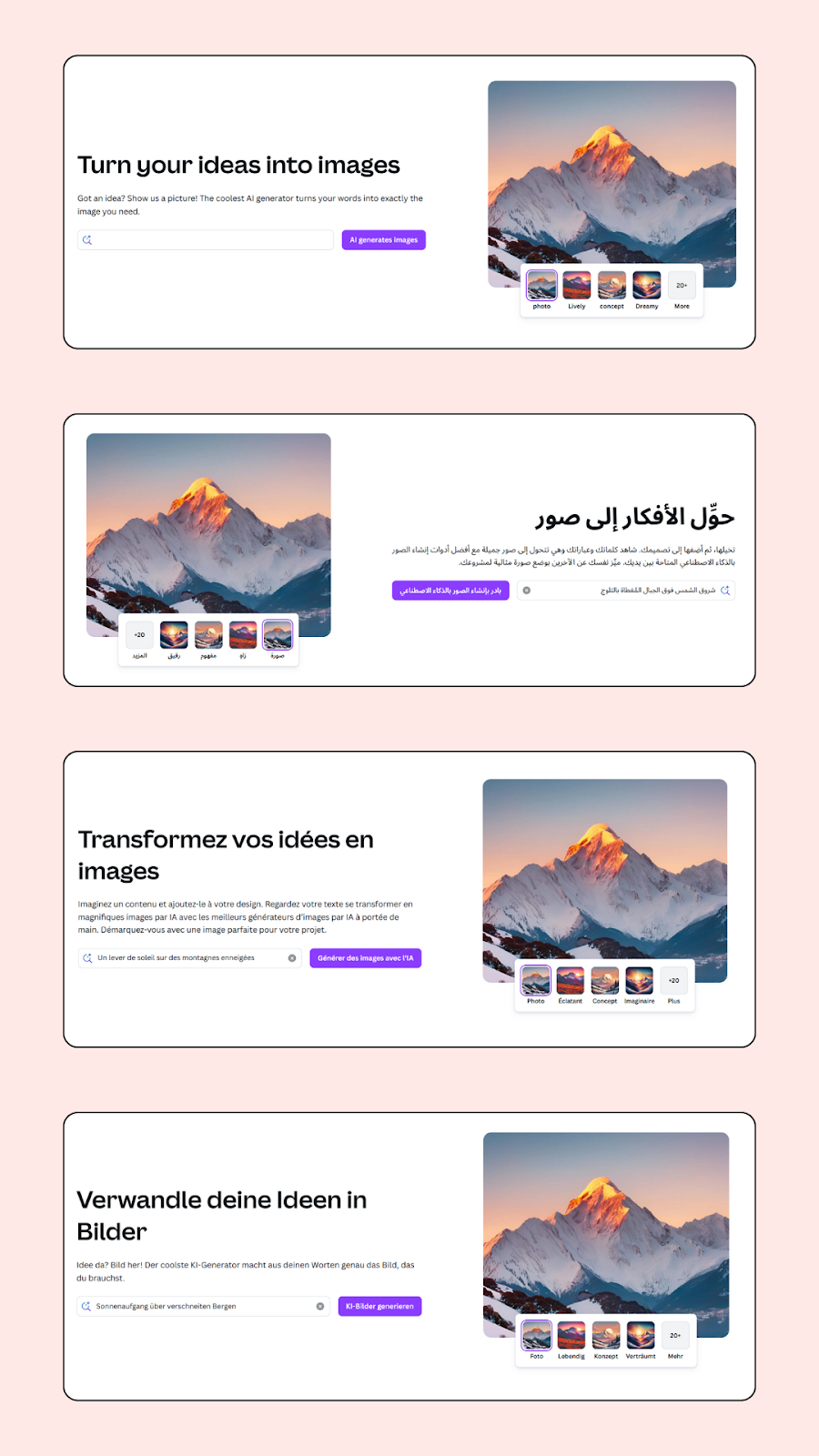
German text is often longer than English. Arabic navigation reads right-to-left. And Chinese characters expand vertically. Look at Canva’s homepage across four languages, for example. The layouts and spacing change for each language:
Design-stage localization makes it easy to adapt your layout to nuances like these for different target languages before a single line of code is written. It saves you from expensive rework cycles and project delays.
But here's the big challenge: getting translations traditionally takes days or weeks. When you're iterating quickly on mockups, this waiting period makes it difficult to validate your design layouts for different languages.
AI translation removes this bottleneck.
For starters, AI can translate strings into multiple languages almost instantly. So, what used to take weeks of back-and-forth with translators and reviewers can now happen in minutes.
More importantly, when your localization software is connected to your design tool, AI translations can fast-track the process even more. That means, a designer working on a new landing page can:
Share specific text strings for AI-generated translations
Directly pull these translated files into their mockups
See exactly how each language affects its layouts
Traditional design testing workflow
AI-enabled design testing workflow
Designers create mockups in English → Developers build → Translations happen → Layout breaks discovered in QA or production
Designers create mockups → AI generates translations → Designers see and validate layouts across languages → Development builds it right the first time
❗A note on AI translations
AI translations may need human review for a final quality check, but they're accurate enough to reveal layout problems immediately. They show character patterns, realistic text lengths, and directional flow. That helps in making informed design decisions and building layouts that actually work across languages from the start.
How Lokalise’s design plugins work with AI translation
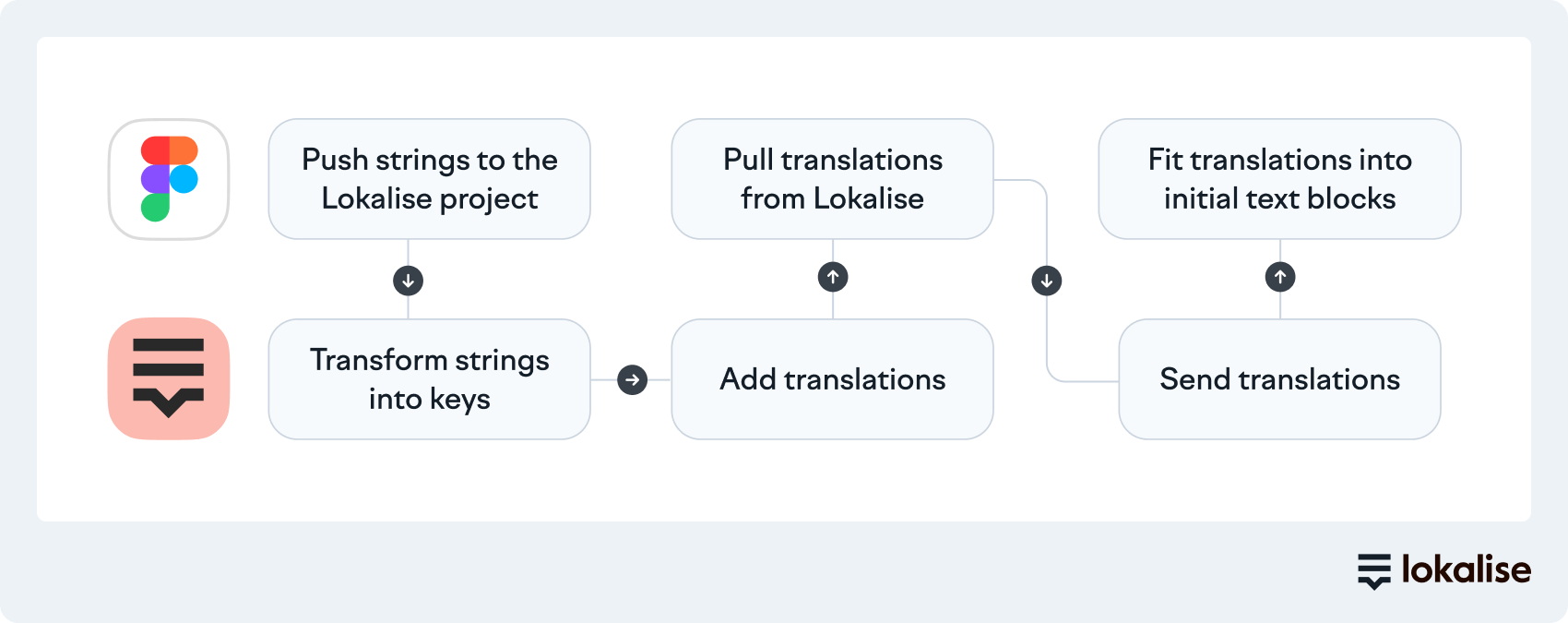
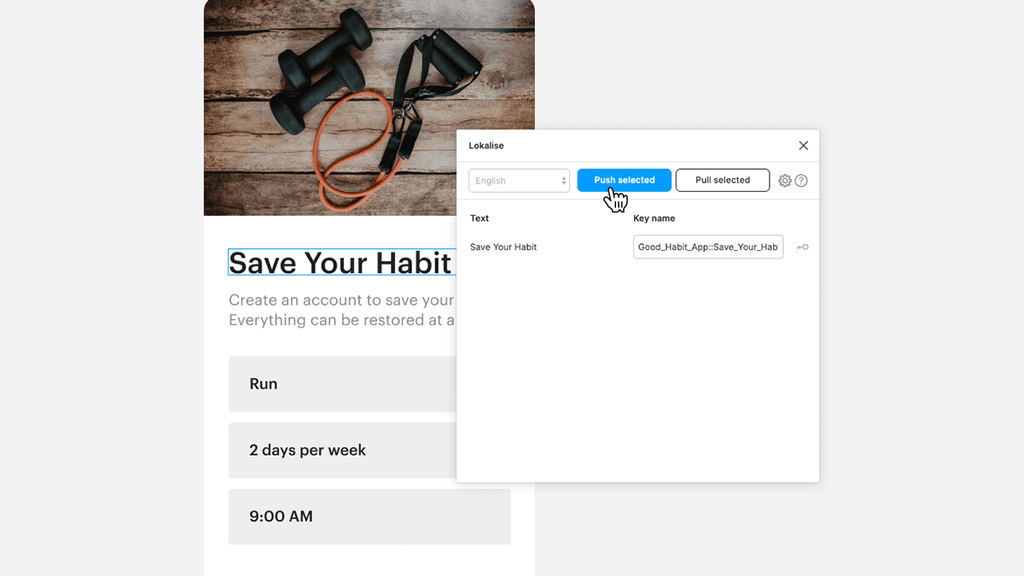
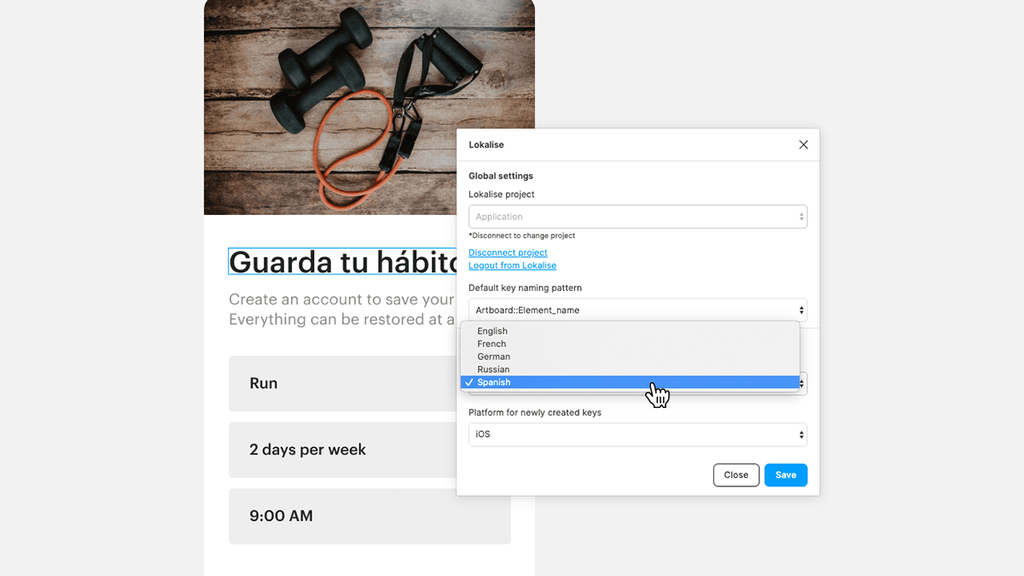
Lokalise integrates directly with Figma, Adobe, and Sketch, cutting out the back-and-forth between designers, developers, and translators. Designers can quickly share design mockups, get translated files, and iterate on these mockups for each language. Let’s understand how this works with the example of Lokalise’s plugin for Figma:
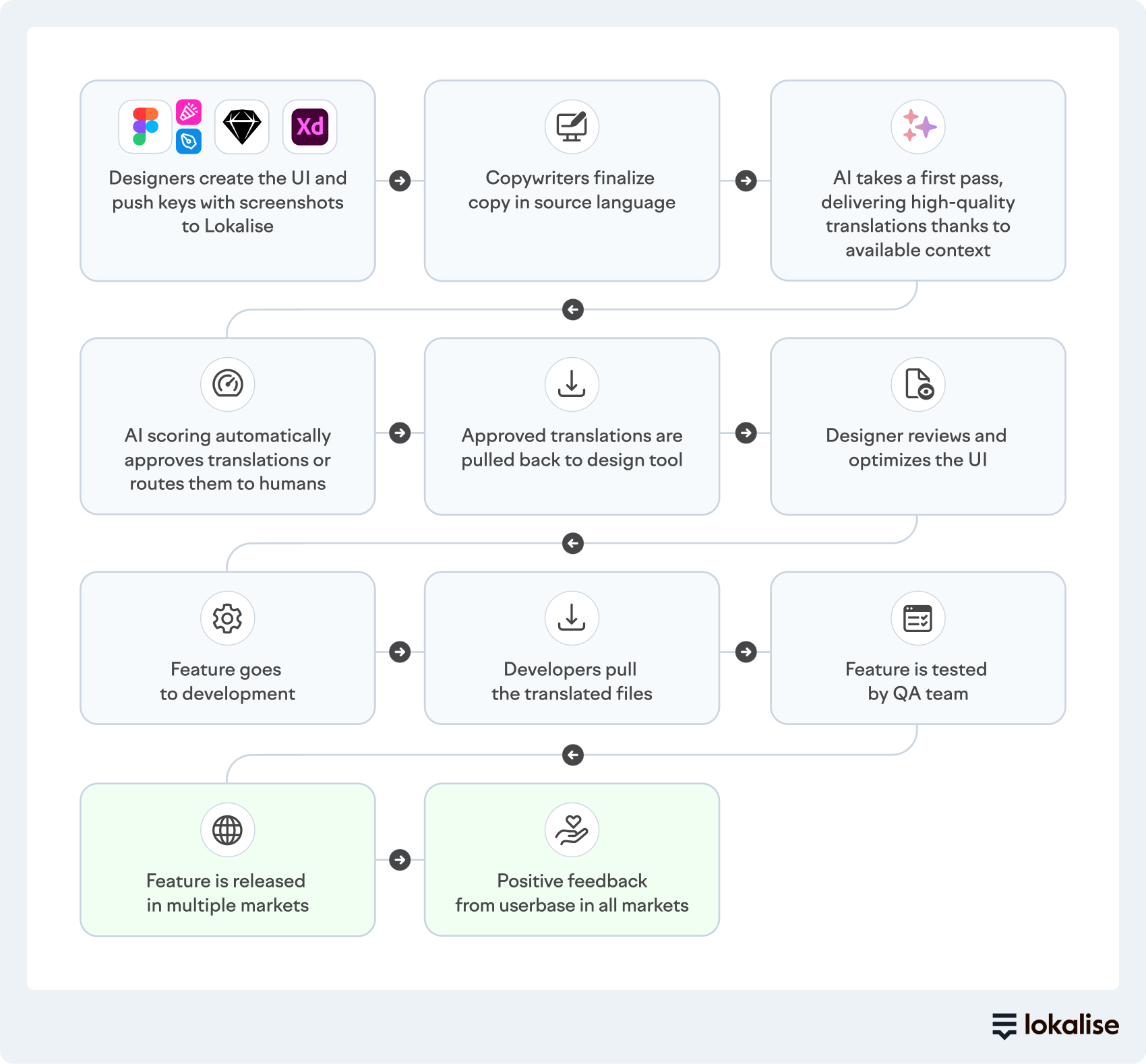
Designers push strings from Figma to Lokalise: When your designs are ready, push all text strings to Lokalise. Add screenshots so translators (or Lokalise’s AI system) see exactly where each string appears in the interface.
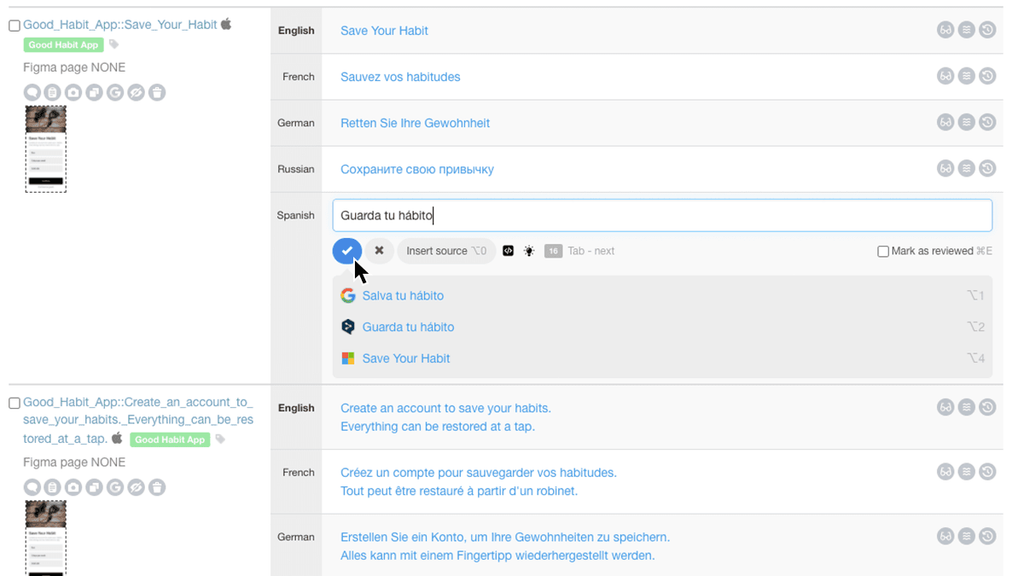
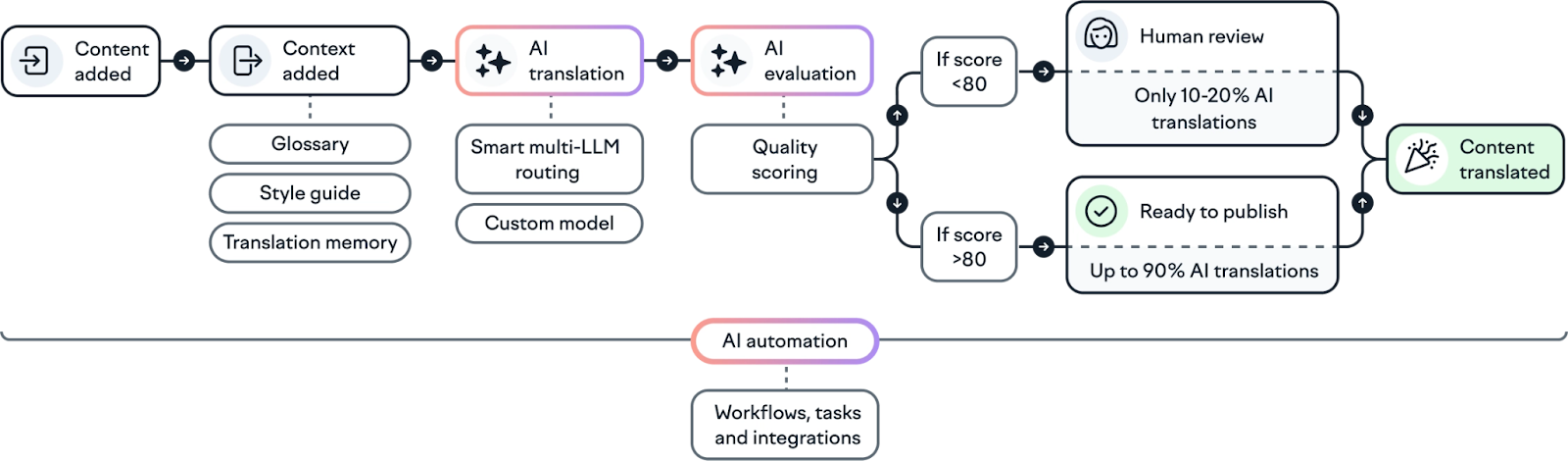
AI translation on Lokalise: Lokalise’s AI system translates strings into your chosen languages based on the visual context and existing guidelines like translation memory, style guide, and glossary. Up to 95% of translations are publish-ready. Your linguists review high-value strings and adjust where needed.
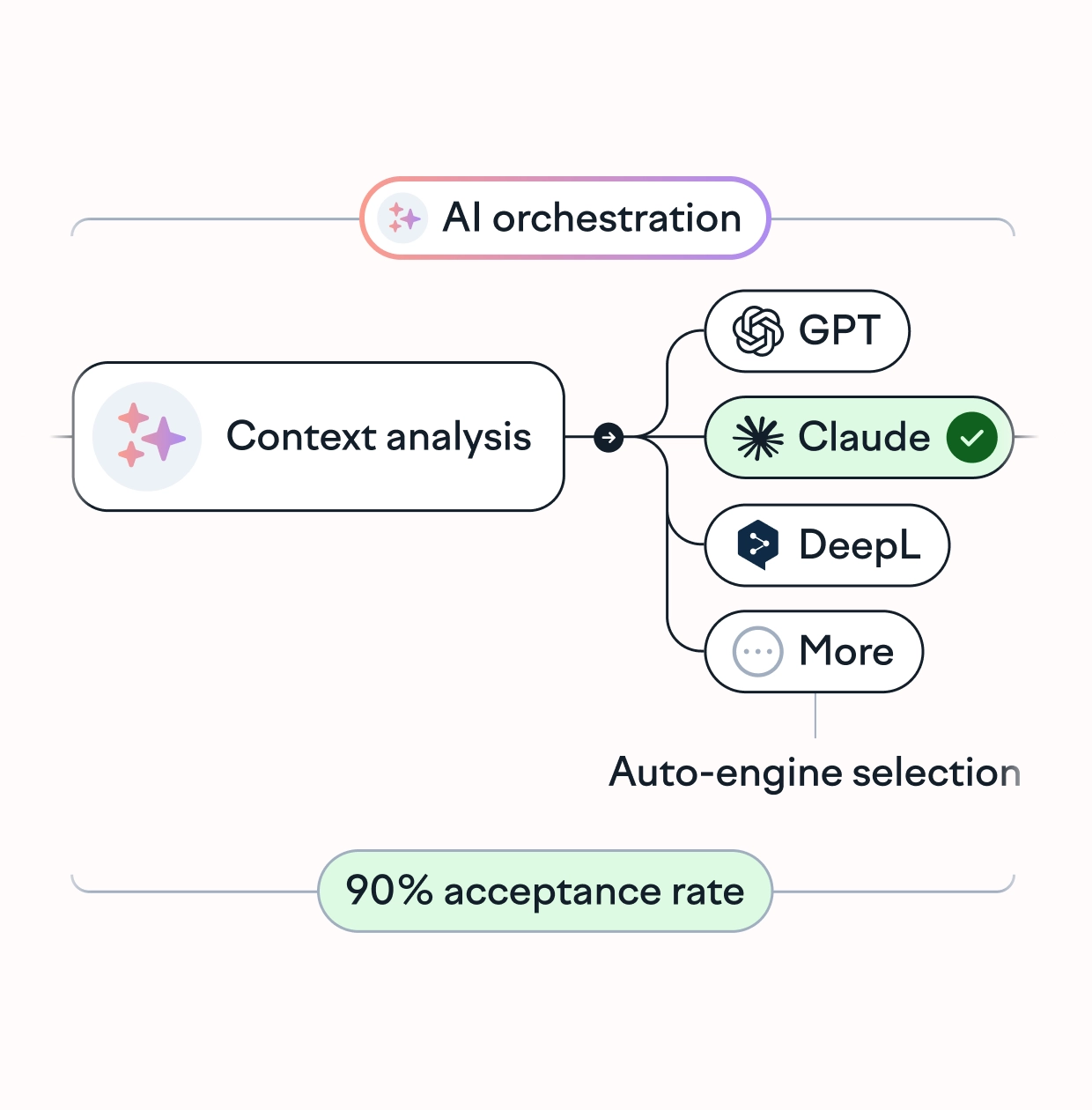
The AI orchestration system automatically routes your content to the optimal engine based on relevant context (like translation memory, style guide, and glossary) and language pair. It uses smart routing with multiple LLMs to select the best model for every string.
Once the translations are ready, Lokalise scores the output and approves it if it’s above a defined quality threshold. All of this is done in minutes.
Pull translations back to Figma: Once AI translations are ready in Lokalise, pull these files into Figma. Switch between different languages to test and adapt your layouts for each one.
Finally, send both translation keys and validated design layouts to development. This way, your designs work across languages from day one, and you avoid post-release bugs in the localized user experience.
📚Build an AI-powered translation workflow
Check out our guide on creating a custom workflow for AI-powered translation with Lokalise. This guide explains how to use the Lokalise API and webhooks for building this automated process.
2. Use design context already built into your workflow
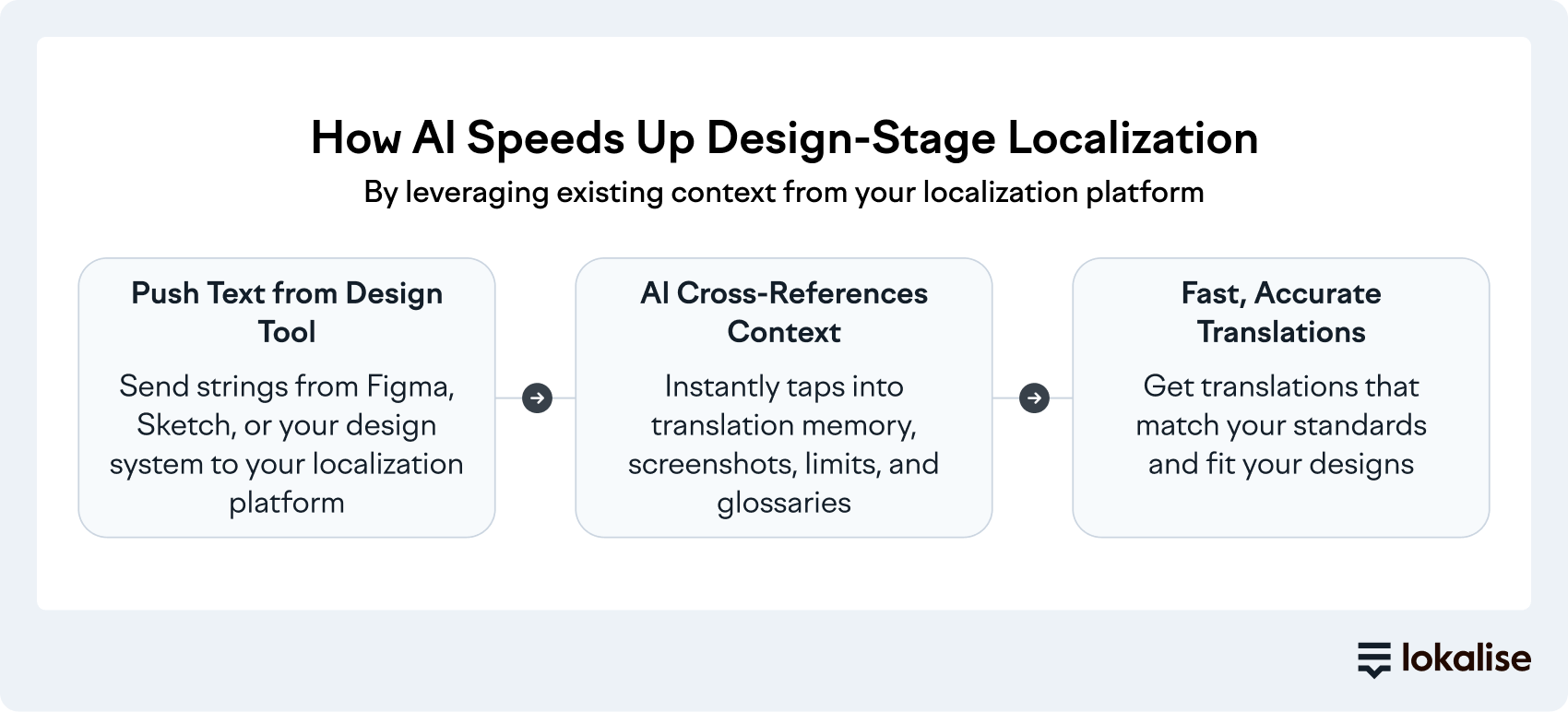
When you push text from your design tool to your localization platform, AI taps into existing context to deliver translations that match your tone and quality benchmarks.
For example, AI cross-references multiple data sources available in your localization setup:
Translation memory: To deliver consistent translations. If you've translated “checkout” as “Kasse” in German before, AI uses the same term.
Screenshots: To see where every key appears in the interface. AI sees that “Submit” lives on a narrow button, not a spacious form header.
Character limits: To prevent design overflow. A 60-character English string won't become a 95-character German translation that breaks your layout.
Glossaries: To follow your terminology guidelines. If your brand uses “sign in” instead of “log in,” AI follows that rule.
This makes AI translations particularly valuable for design-stage localization where speed matters most.
Think about it: During the design phase, you need quick translations to validate layouts and test user flows. AI handles this quickly, while your translators focus on polishing high-value content once designs are locked in.
As a result, your design process moves at full speed without creating a bottleneck.
Besides, modern localization software like Lokalise delivers context-aware AI translations. That means, AI translates text with complete awareness of how, where, and why text appears in your interface.
Here’s what this context-aware translation looks like in action.
Let’s say you have a dialog box with three strings:
Header: Delete file?
Body text: This action cannot be undone
Button labels: Cancel / Delete
Context-aware AI translation considers this dialog box as one cohesive component instead of isolated strings. The system understands design constraints like spacing, font sizes, and container dimensions, then factors these into translation choices.
For example, if a button has an 80px width, AI won't suggest a 15-character German word that overflows the container. It sees the button as it appears in your interface, understands the character limit, and references your translation memory to translate this string.
💡 AI vs machine translation
This is why AI translation in design-stage localization is different from machine translation. An AI system translates your strings within the full context of your design system and brand standards while MT tools generate translations from scratch where they may not have enough context.
3. Keep localization and product development in sync
Developers ship new features weekly. Designers iterate on mockups frequently. But translators work in batches where you send out a batch of strings, wait for turnaround, then integrate translations in a separate release cycle.
AI translation within your design-stage localization process can break this pattern.
It allows your localization workflow to run parallel to the development cycle. When developers push code or designers adjust mockups, translations update immediately. So, linguists can review and refine changes in context, not weeks later.
Here's what this looks like in practice.
You change a button label from “Submit” to “Confirm” in Figma. AI regenerates translations across all target languages within seconds. The system flags the change for linguist review if it's customer-facing or high-value, but the translated strings are already available for the next build.
How the right platform supports continuous localization
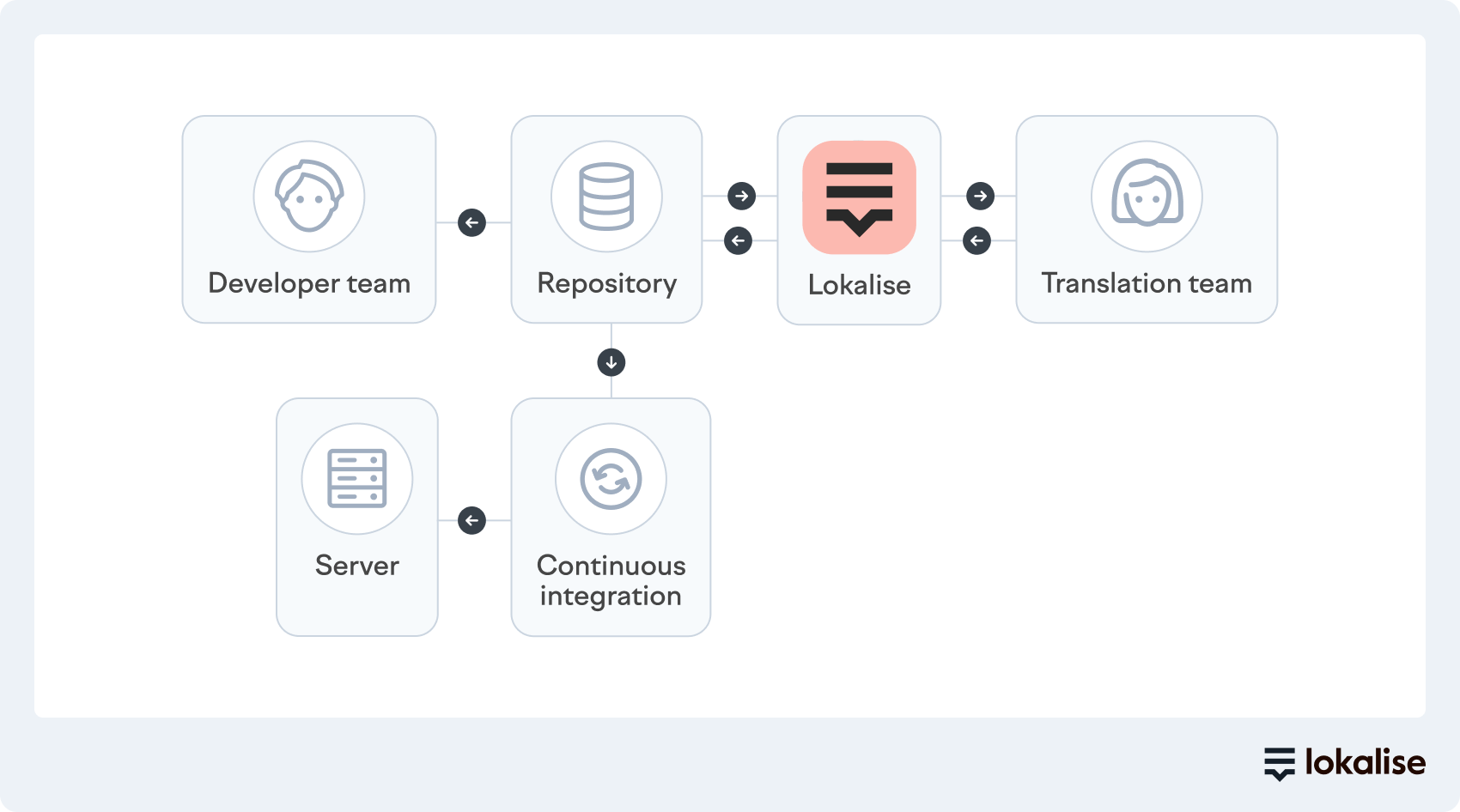
Continuous localization keeps translations in sync with product development by automating the flow between design, development, and translation teams.
Modern localization platforms like Lokalise connect directly to your design and developer tools to create a continuous translation workflow:
When a designer updates text in Figma, that change syncs to the localization platform automatically
When a developer commits new strings to GitHub, AI translates them before the next build runs
When a linguist approves a translation, it deploys to production without manual handoffs
This workflow eliminates the context-switching delays that traditionally slow down releases.
Put simply: You're not blocking the dev team while waiting for translators to finish a batch of translations. You're not rushing linguists to hit an arbitrary deadline that affects their output quality.
With the continuous localization approach, translation happens in parallel with design and development at the same velocity as your team ships features.
4. Let your linguists focus on what actually matters
In addition to speeding up your translation process, AI can also handle quality assurance. As a result, your linguists spend time where their expertise actually matters.
AI-powered translation scoring systems evaluate translated output against specific quality criteria and assign each one a score. So, instead of linguists manually reviewing every translated string across every language, AI scoring flags specific files that need their attention.
Lokalise's translation scoring system uses the MQM (Multidimensional Quality Metrics) framework to score every translation on a 0-100 scale based on grammar, spelling, fluency, terminology accuracy, and meaning preservation.
The scoring algorithm evaluates multiple factors:
Does the translation match similar strings in your translation memory?
Does it use approved glossary terms?
Does the length fit the design constraints?
Is the sentence structure natural in the target language?
Translations scoring above 80 are good to publish without human review. Translations scoring below 20 get flagged for linguist attention, specifically for better cultural adaptation and brand alignment.
How translation scoring helps design-stage localization
Translation scoring is an automated process of reviewing the quality of AI-translated text based on factors like accuracy, consistency, fluency, and more. For design-stage localization, this scoring mechanism creates a quality layer to validate designs quickly.
Use these scores to speed up translations with AI and:
Focus human effort where it matters: Your linguists spend time on complex, high-impact translations. AI handles routine navigation labels and form fields that follow established patterns.
Cut review time and cost: With translation scoring, teams can handle low-priority languages that were previously cost-prohibitive and ship faster without sacrificing quality.
Get instant, data-driven QA: Linguists see the scores in real-time and find specific issues detected from every translated string, like the ones highlighted in this screenshot.
The bottom line: When you’re launching in 15 different languages, you can’t manually translate and review every string in every language (unless you have a massive team). That’s where translation scoring helps you prioritize only those issues that need more attention.
🔥Build your own quality threshold
Lokalise allows you to create your baseline for translation quality. While it’s set to 80 by default, you can increase/decrease it based on your needs and bandwidth. If a translation is scored below this percentage, it’ll be turned into a review task for the team.
5. Balance quality, speed, and cost of localization
Not all content needs the same level of translation sophistication. A “Save” button doesn't require the same care as tooltips in your onboarding flow or error messages that explain why a payment failed.
AI handles this distinction automatically to keep costs low and quality high.
How? Through intelligent LLM routing.
Instead of using the same translation engine for every request, AI intelligently routes different content types to specialized language models based on complexity, context, and quality requirements. Put simply, your localization platform analyzes each string and decides which AI model should handle it.
How intelligent LLM routing works in localization
Intelligent LLM routing for localization analyzes each string and automatically assigns it to the most appropriate language model based on complexity and context. Instead of using a single AI model for everything, the system routes different content types to different models optimized for specific translation tasks.
The routing logic considers factors like string length, presence of variables or placeholders, translation memory match percentage, and content type to make decisions automatically:
Simple strings: Repetitive strings like “Save,” “Cancel,” and “Next” go to fast models optimized for consistent, predictable output. These strings have high translation memory matches and limited cultural variation, so they don't need sophisticated language processing.
Complex strings: Marketing copy, error messages, onboarding tips, and value propositions are routed to sophisticated models trained on conversational language and context-aware translation. These strings benefit from models that understand tone, cultural context, and natural language flow.
Intelligent LLM routing for localization means every piece of content gets the right translation approach matched to its purpose. The system automatically balances quality, speed, and cost without localization managers manually sorting thousands of strings or choosing models for each translation task.
Level up your design-stage localization workflow with Lokalise
AI can remove the waiting time that previously kept localization separate from design and development.
Context flows directly from design files to translators without manual documentation. And translation happens instantly, with built-in quality checks, for designers to validate layouts.
You can build a continuous and streamlined workflow instead of relying on manual handoffs.
Lokalise integrates AI-powered localization directly into your design and development tools.
The platform uses intelligent LLM routing to select the best translation engine for each string. Context-aware AI also pulls visual information from your designs and taps into existing guidelines. And automated quality scoring will flag the translations needing human review.
Shreelekha has spent the last 7 years helping B2B brands tell their stories through product-led content. Her ability to perform deep, journalistic research and build engaging narratives around complex topics is one of her strongest suits.
Thanks to her collaboration with eCommerce-focused brands, she's written extensively about international growth and gained firsthand experience in localized marketing. As she researched markets across Europe, the Americas, and Asia, she developed an instinct for cultural nuances that shape how different audiences engage with content. This sparked a deeper curiosity about how people navigate the virtual world. Through her contributions to the Lokalise blog, she's pursuing this curiosity.
Shreelekha is also skilled at creating product-led content. Her work with brands like WordPress, Backlinko, Softr, and Riverside continues to hone her skills as a writer, researcher, and marketer.
A big football and F1 fan, Shreelekha is currently learning Spanish and Japanese to feel more connected to her favorite sports and athletes.
Shreelekha has spent the last 7 years helping B2B brands tell their stories through product-led content. Her ability to perform deep, journalistic research and build engaging narratives around complex topics is one of her strongest suits.
Thanks to her collaboration with eCommerce-focused brands, she's written extensively about international growth and gained firsthand experience in localized marketing. As she researched markets across Europe, the Americas, and Asia, she developed an instinct for cultural nuances that shape how different audiences engage with content. This sparked a deeper curiosity about how people navigate the virtual world. Through her contributions to the Lokalise blog, she's pursuing this curiosity.
Shreelekha is also skilled at creating product-led content. Her work with brands like WordPress, Backlinko, Softr, and Riverside continues to hone her skills as a writer, researcher, and marketer.
A big football and F1 fan, Shreelekha is currently learning Spanish and Japanese to feel more connected to her favorite sports and athletes.
Design-stage localization: the top challenges for localization teams (Part 2)
In Part 1, we covered why design-stage localization is a game-changing solution for agile, multilingual product development. If you read it, you’ve likely thought about what it would take to create a unified localization workflow based around Lokalise, your design tool, and localization team. You might be asking “should I use mac
Read more Design-stage localization: the top challenges for localization teams (Part 2)
Design-stage localization: 3 reasons why it's the solution for fast-growing, agile companies (Part 1)
Design-stage localization is a powerful way to continuously release fully localized products like mobile apps, web apps, and games. It allows for the creation of designs suitable for multiple languages and bridges the gap between the designers, developers, and translators working on localization. But talk to fast-growing companies that are agile and rely on continuous development to some degree; you’ll quickly realize that most haven’t maintained processes
Read more Design-stage localization: 3 reasons why it's the solution for fast-growing, agile companies (Part 1)
7 localization issues designers face and how to solve them
Even though most people think of translators whenever somebody mentions localization, designers play an important role in the localization process, too. Using translation keys can help designers ensure that visual elements align with the localized text. Colors, symbols, and the overall visual aesthetics and functionality of the design, must be adapted to each market separa
Read more 7 localization issues designers face and how to solve them