








Manage localization from your AI tools with Lokalise MCP

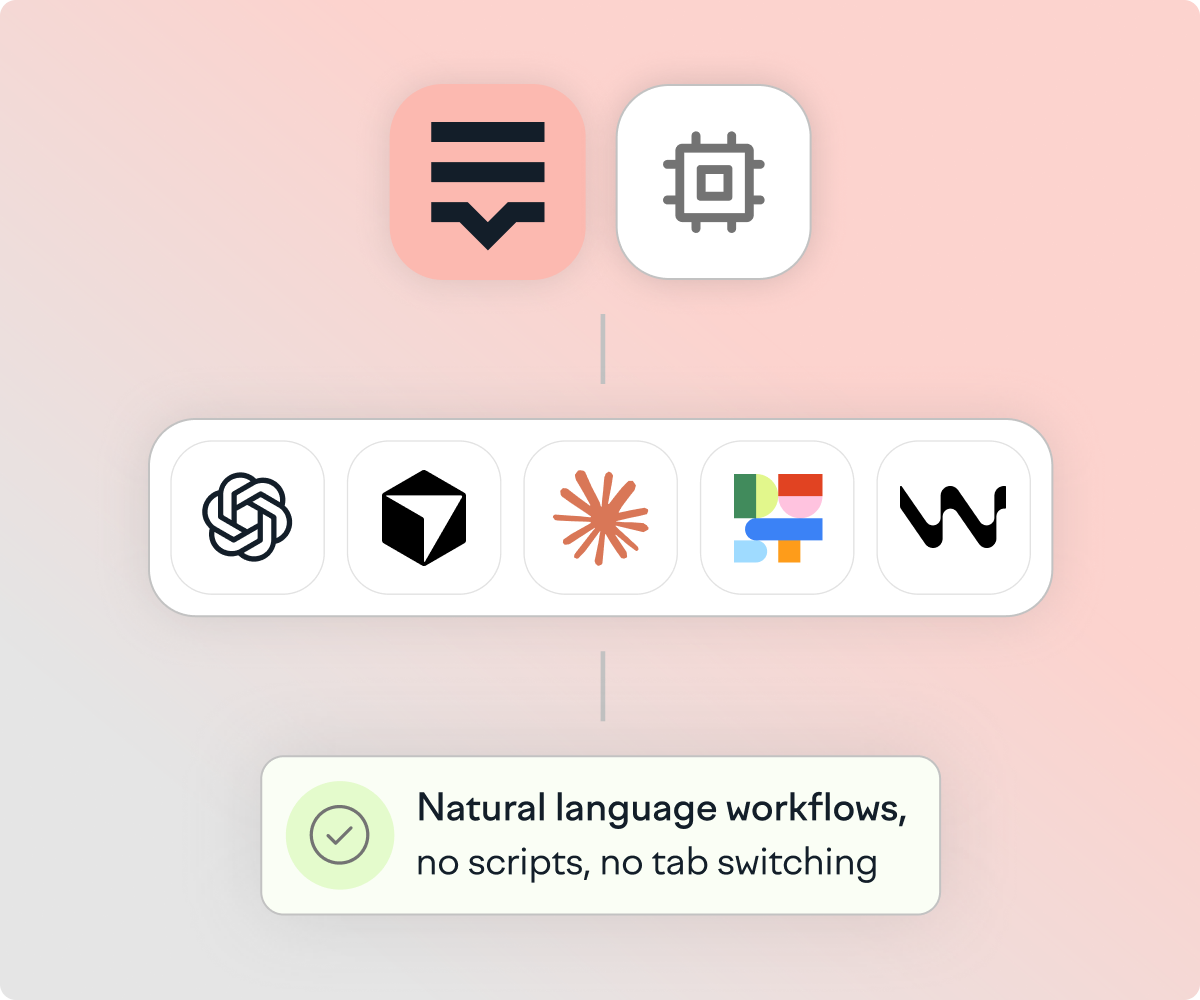
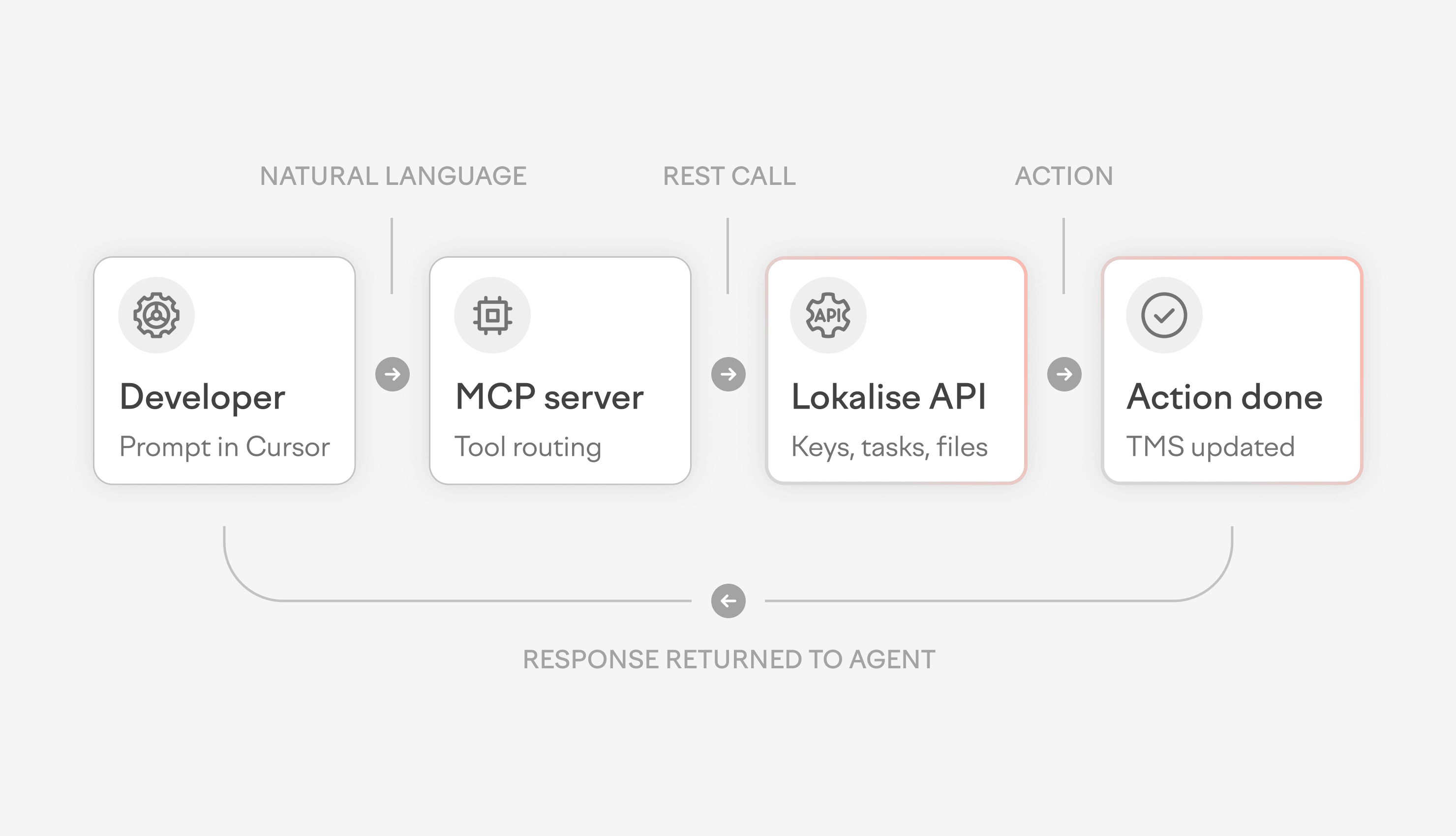
The Lokalise MCP Server connects your AI assistant to your localization workflow. Add keys, assign tasks, check translation progress — all in natural language. No tab switching. No scripts. No learning curve.

Lokalise MCP connectors illustration

Trusted by  1 million users across 3,000+ companies. From scale-ups to the Forbes Global 2000.

  • life360 logo
  • pleo logo
  • coachhub logo
  • blockchain logo
  • hibob logo
  • king logo
  • telefonica logo
  • whirlpool logo
  • hello fresh logo
  • dhl logo
  • orange logo
  • hyundai logo
  • shell markethub logo
  • life360 logo
  • pleo logo
  • coachhub logo
  • blockchain logo
  • hibob logo
  • king logo
  • telefonica logo
  • whirlpool logo
  • hello fresh logo
  • dhl logo
  • orange logo
  • hyundai logo
  • shell markethub logo

See what your AI assistant can do

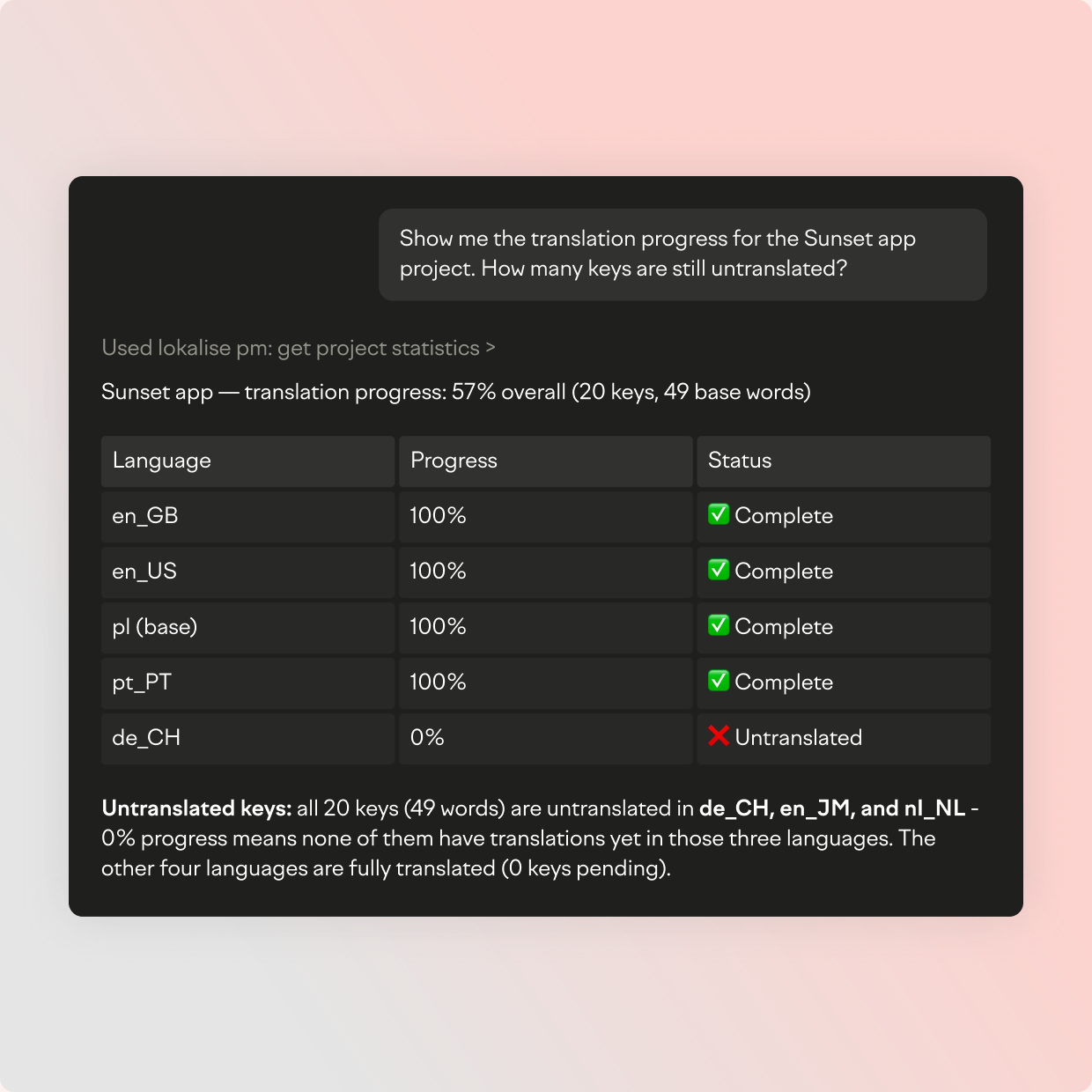
The Lokalise MCP Server gives your AI assistant direct access to your localization projects. Describe what you need in plain language. The AI handles the rest.

What can Lokalise MCP connect to?

Set up in under 5 minutes

The Lokalise MCP Server is cloud-hosted. No packages to install. No dependencies to manage. Add the server URL to your MCP-compatible tool, authenticate with OAuth, and start prompting.

Setup clock icon

Works wherever your team already works

Developers toolkit illustration

For developers

Add translation keys, check coverage, and download files without leaving your IDE. The Software Development toolkit connects Lokalise to Cursor, Windsurf, and Claude Code so localization becomes part of your coding workflow — not a separate task.


  • Add keys with tags and platform metadata from your editor
  • Check which locales are below your coverage threshold
  • Download translation files in the formats your build needs
  • Attach screenshots so translators see exactly where strings appear
Localization managers toolkit illustration

For localization managers

Create tasks, manage contributors, and track progress from Claude, ChatGPT, or Claude Desktop. The Project Management toolkit gives you full control over your localization workflow in natural language.


  • Create translation tasks with deadlines and assignees in one prompt
  • Add or remove contributors and manage roles
  • Update glossary terms to keep translations consistent
  • Upload source files and download completed translations

Two toolkits for two workflows

The Lokalise MCP Server ships with two toolkits. Install one or both depending on how your team works.

Project Management toolkit

Software Development toolkit

Localization support

Localization managers

Developers

Enterprise-grade security + compliance

Claude, ChatGPT, Claude Desktop

Cursor, Windsurf, Claude Code

Multi-model smart routing

—

Brand-personalized output (Custom AI profiles) with 90%+ acceptance rate

—

Real-time quality scoring (MQM)

Translation memory + glossary context

—

Automated localization workflows

—

Centralized localization hub for team collaboration

Enterprise-ready from day one

The Lokalise MCP Server uses OAuth authentication, which means it follows your existing Lokalise permissions. Every action respects your role-based access controls (RBAC).

No separate credentials. No security workarounds. Cloud-hosted, so there is nothing to install locally.

Enterprise security shield icon

Before and after the MCP Server

Without MCP cross icon

Without the MCP Server:

  • Navigate to the right project

  • Find the keys you need

  • Update translations manually

  • Dig through docs for the right API call

  • Write a script, debug it and run it

  • Time investment: hours

With MCP checkmark icon

With the Lokalise MCP Server:

  • "Hey Claude, check untranslated keys in the checkout project and assign them to the French team by May 15th."

  • Time investment: seconds

This is where localization stops being something you manage and becomes self-sufficient with high quality

FAQs

What is the Lokalise MCP Server?

Which AI tools work with the Lokalise MCP Server?

How long does setup take?

Is the MCP Server secure for enterprise use?

What is the difference between the Project Management and Software Development toolkits?

Can I use both toolkits at the same time?

Do I need to write code to use the MCP Server?

What is the difference between MCP and the Lokalise REST API?

Start managing localization from your AI tools

Connect Lokalise to your AI assistant in minutes. Add keys, create tasks, and check progress — all without leaving the tools you already use.

MCP for localization

MCP for localization: How to connect AI agents to your translation workflow

You're in Cursor, working on a new feature, and you need to add a localization key. That means leaving your IDE, opening your TMS, navigating to the right project, making the change, and coming back. Then, doing this all over again the next time you need to check untranslated strings, create a task, or touch anything localization-related. Model Context Protocol (MCP) removes this context-switching loop entirely. Instead of bouncing between tools, your AI coding assistant can inter
Updated on June 25, 2026Ā·Shreelekha Singh
MCP vs REST API.webp

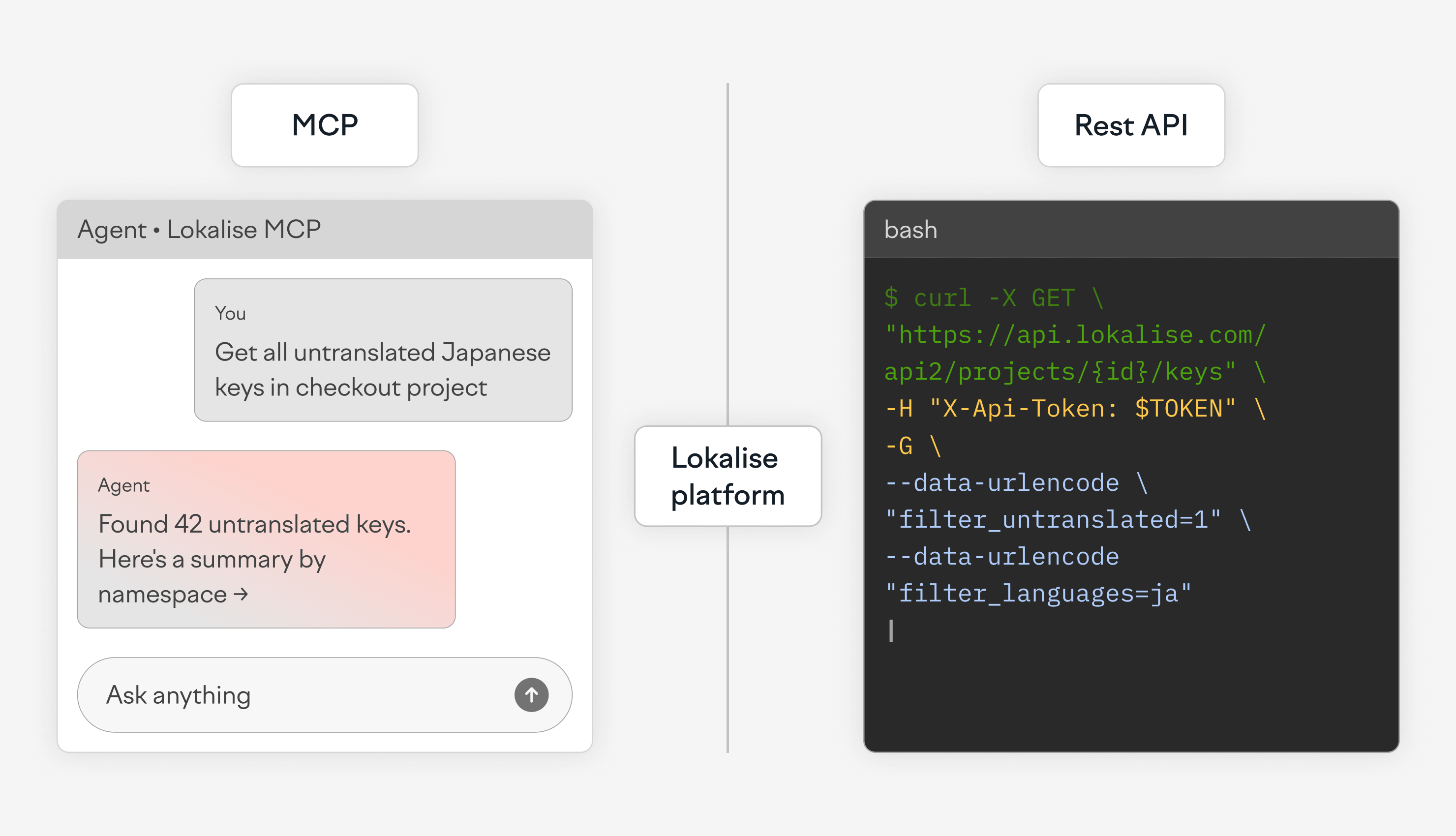
MCP vs REST API for Localization: When to Use Each

Lokalise gives developers two programmatic ways to manage localization workflows: the REST API and the MCP Server. In any MCP vs API localization decision, the key point is that one does not replace the other. The REST API is built for scripted, repeatable, deterministic automation, such as CI/CD pipelines, batch imports, and webhook-driven deployments.

Updated on June 10, 2026Ā·Ilya Krukowski
Enterprise localization integrations across Salesforce, CMS, DAM, API, and design tools

How Lokalise integrates with your enterprise tech stack: Salesforce, CMS, DAM, and API

Enterprise localization doesn't fail because of bad translations. It fails because tools don't talk to each other. Content sits in a CMS. Code lives in GitHub. Sales teams work in Salesforce. Support runs on Zendesk. Designers are in Figma. When the localization platform can't connect to all of them, someone ends up exporting files, emailing them around, and importing them back. That's where errors, delays, and missed launches come from. Lokalise

Updated on July 22, 2026Ā·Ilya Krukowski