Developer Guides & Tutorials·Global Growth & Strategy

How Lokalise integrates with your enterprise tech stack: Salesforce, CMS, DAM, and API

Ilya Krukowski,Updated on July 22, 2026·6 min read
Enterprise localization integrations across Salesforce, CMS, DAM, API, and design tools

Enterprise localization doesn't fail because of bad translations. It fails because tools don't talk to each other.

Content sits in a CMS. Code lives in GitHub. Sales teams work in Salesforce. Support runs on Zendesk. Designers are in Figma.

When the localization platform can't connect to all of them, someone ends up exporting files, emailing them around, and importing them back. That's where errors, delays, and missed launches come from.

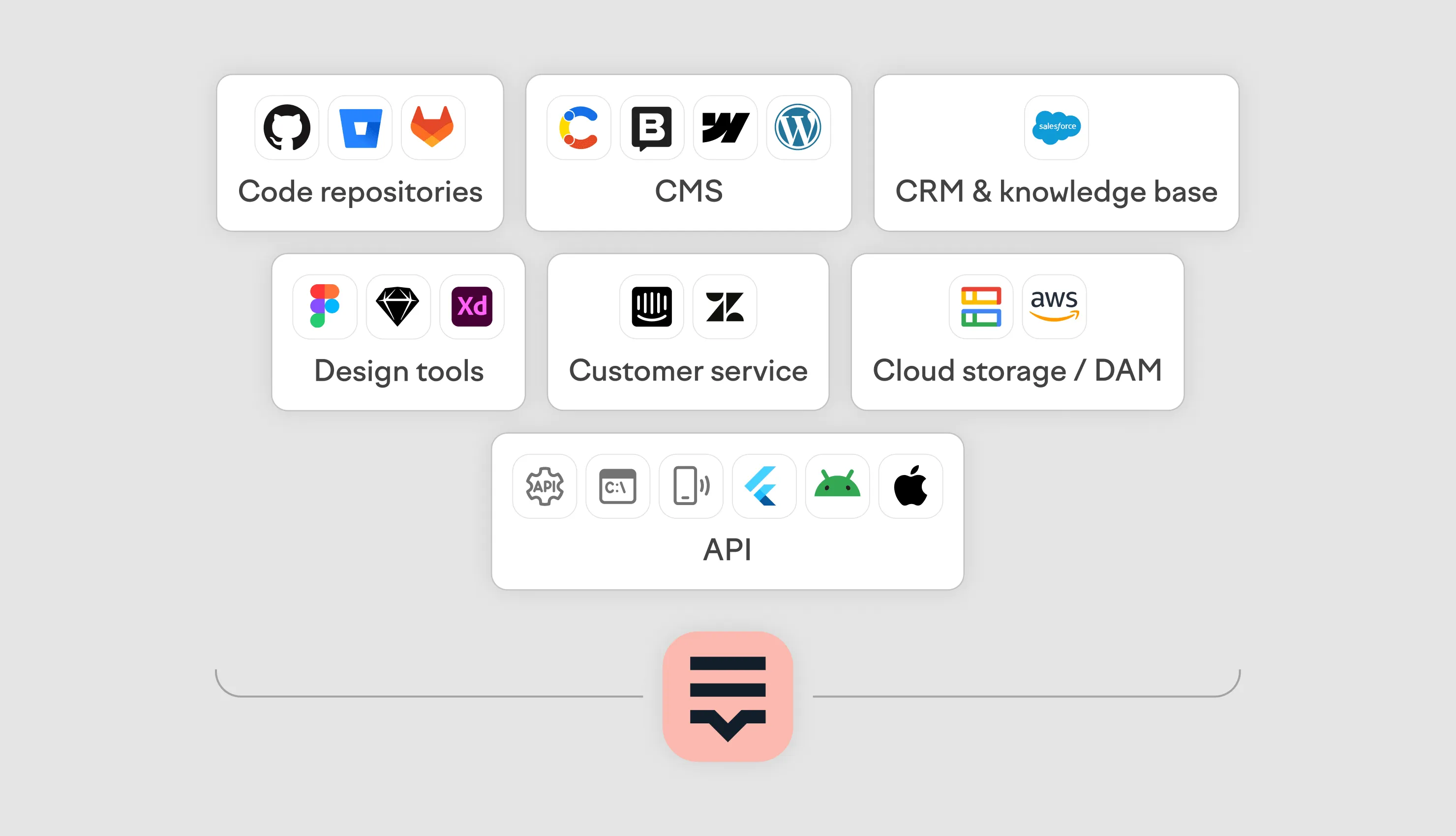
Lokalise integrates with 60+ tools across code repositories, CMS platforms, CRM, customer service, design tools, and cloud storage. Each integration follows the same principle: pull content, translate it with AI or human review, and push it back to the source system. No file exports. No copy-paste.

Enterprise integration summary

Integration categoryKey toolsEnterprise use case
Code repositoriesGitHub, GitLab, Bitbucket, Azure ReposContinuous localization inside CI/CD pipelines
CMSContentful, Storyblok, HubSpot, Webflow, WordPress, Contentstack, HygraphAutomated content round-trip for marketing teams
SalesforceKnowledge, CRMMultilingual Knowledge Base and CRM localization
Customer serviceZendesk Guide, IntercomMultilingual help center and support content
Design toolsFigma, Figma Buzz, Sketch, Adobe XDDesign-stage localization without copy-paste
Cloud storage / DAMAmazon S3, Google Cloud StorageFile-based localization for regulated industries
APIREST API, CLI, OTA API, SDKsCustom integrations with any internal system

How does Lokalise integrate with code repositories?

Lokalise connects directly to GitHub, GitLab, Bitbucket, and Azure Repos. When auto-pull is configured, new or changed strings are imported into Lokalise on push, translated, and committed back to the same repository.

This turns localization into part of the CI/CD pipeline and developer workflow rather than something that happens after development is done. Developers don't export files before a release. Localization runs in parallel with the development cycle — including through GitHub Actions, GitLab pipelines, and other CI tooling.

How it works in practice

Connect your repository to a Lokalise project. Configure which branches and file paths to monitor. When a developer pushes code, Lokalise detects new or changed strings and imports them. It runs them through translation workflows — AI translation, human translation or review, or both — then commits translated files back to the repository.

Enterprise proof: Navan

Navan connected their repositories to Lokalise through GitHub Actions, CLI, and the Lokalise API. The result: translation turnaround times dropped by up to 93%, internal tickets about untranslated content fell by 90%, and queries going directly to developers dropped by over 75%. The team now translates an average of 10,000 words per week across 9 languages.

How does Lokalise connect to CMS platforms for enterprise localization?

Lokalise has native integrations with Contentful, Storyblok, HubSpot, Webflow, WordPress, Contentstack, Hygraph, and more. The workflow is consistent across all of them: content is pulled from the CMS into Lokalise, translated using Lokalise AI with optional human review, and pushed back to the CMS.

Global marketing teams managing campaigns across multiple markets benefit most from this. Without a CMS integration, someone exports content to spreadsheets, sends it for translation, waits, and re-imports it. With the integration, the entire round-trip can be automated.

Contentful and headless CMS workflow

For headless CMS platforms like Contentful and Contentstack, Lokalise pulls content entries, preserves the content model structure during translation, and writes translations back to the correct locale fields. This keeps the content architecture intact while adding new languages.

How does Lokalise integrate with Salesforce?

Lokalise has two Salesforce apps: Salesforce Knowledge and Salesforce CRM. Both sync content between Salesforce and Lokalise — pulling it in for translation and pushing it back once complete.

This solves three specific enterprise problems:

  • The Salesforce CRM app covers custom labels and custom objects. Teams in Frankfurt, Tokyo, or São Paulo can work in their local language across the Salesforce interface.
  • Customer support teams need multilingual Knowledge Articles. Lokalise pulls Knowledge Articles from Salesforce, translates them, and pushes them back so customers find answers in their language without the support team maintaining separate content per locale.

Why Salesforce Translation Workbench isn't enough

Salesforce's built-in Translation Workbench handles basic label translation but lacks the features enterprise localization programs require. It has no translation memory, no AI translation, no CAT editor, no quality scoring, and no automated workflows.

Every translation task requires manual export and import. For organizations managing 10+ languages across CRM and Knowledge, this creates a bottleneck that grows with every new market.

Lokalise replaces that manual process with an automated pipeline: connect once, translate continuously, and keep every Salesforce component in sync across languages.

What customer service integrations does Lokalise support?

Lokalise integrates with Zendesk, Intercom, and other customer service platforms for help center article translation. The integration syncs articles from your help center into Lokalise, translates them, and publishes the translated versions back.

For enterprise support teams, this means maintaining a multilingual help center without a multilingual content team. Articles written in English (or any source language) can be automatically queued for translation when published or updated.

How does the Lokalise Figma integration work?

Lokalise has a Figma plugin that connects design files directly to Lokalise projects. Designers work in Figma as they normally would. The plugin extracts text from design frames, sends it to Lokalise for translation, and inserts the translated strings back into the Figma file.

This eliminates the handoff where designers copy text into spreadsheets, wait for translations, and paste them back into mockups. With the plugin, design and localization teams work in parallel.

Lokalise also supports Figma Buzz, Sketch, and Adobe XD with similar plugin-based integrations.

Enterprise use case

For companies localizing product UI and marketing assets simultaneously, the Figma integration means designers can preview how their layouts look in German or Japanese before development starts. Text expansion issues are caught at the design stage, not after code is written.

What DAM and cloud storage integrations does Lokalise support?

Lokalise integrates with Amazon S3 and Google Cloud Storage. Files stored in S3 buckets or GCS buckets are imported into Lokalise projects, translated, and exported back to the same storage location.

This is built for organizations that store localizable assets — documents, templates, product content — in cloud storage rather than a CMS. Media companies, regulated industries, and enterprises with existing document management systems use this integration to localize content without migrating assets to a different platform.

How it works

Point Lokalise at your S3 or GCS bucket. Configure which file types and paths to monitor. Lokalise imports the files, runs them through translation workflows, and writes the translated files back to a specified output path in the same bucket.

How does the Lokalise API work for enterprise integrations?

The Lokalise API is a RESTful API that covers key actions in Lokalise: creating projects, uploading keys, triggering translations, downloading files, and managing tasks.

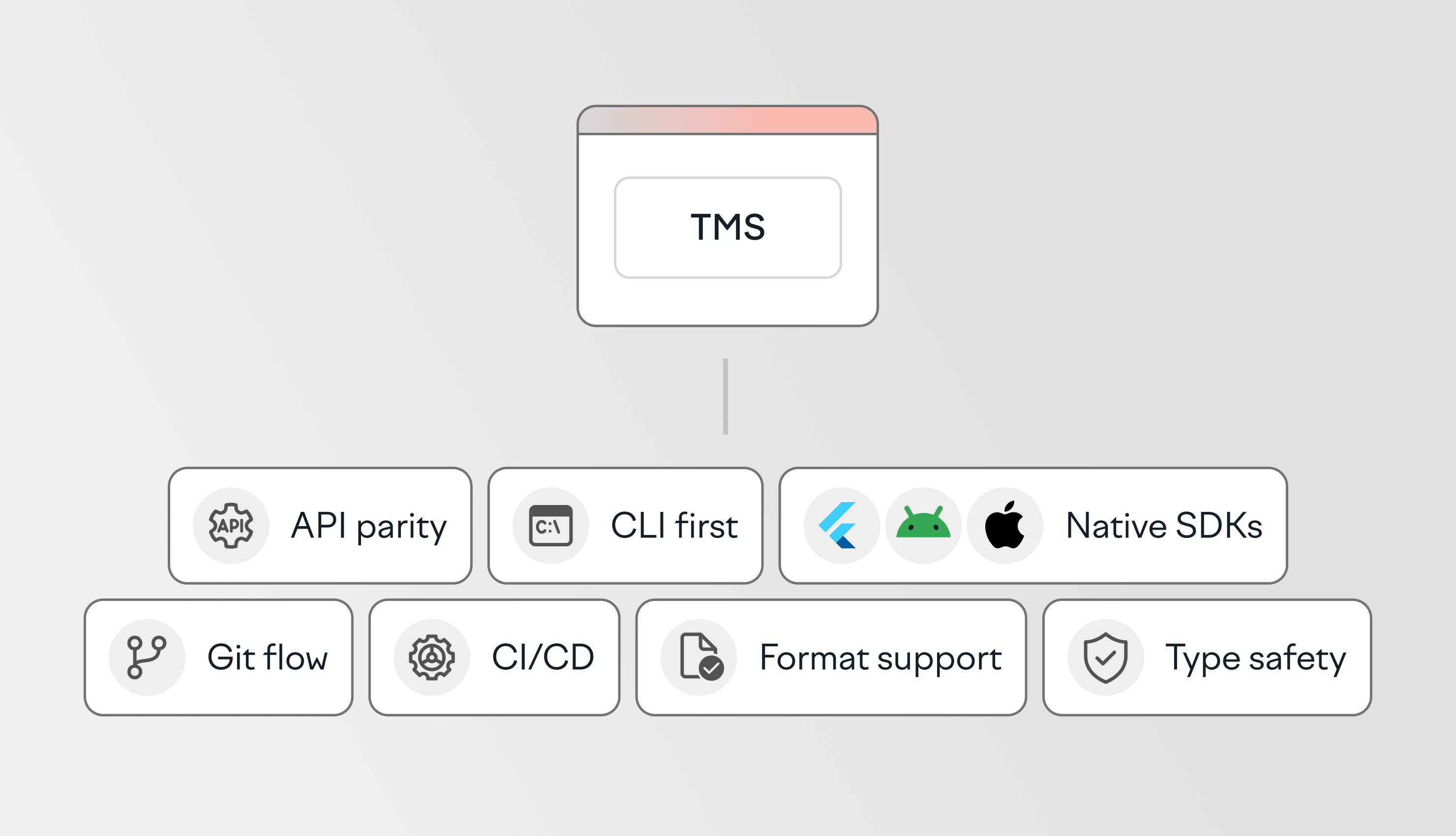
Client libraries are available in six programming languages: Python, Ruby, Node.js, PHP, Golang, and Elixir. Lokalise also provides a CLI for command-line workflows, a dedicated OTA API for over-the-air delivery, and native SDKs for Android and iOS. The Lokalise Developer Hub at developers.lokalise.com includes full API documentation, tutorials, and an interactive API playground where developers can test endpoints before writing production code.

When to use the API

The API is the right choice when your enterprise runs systems that don't have a pre-built Lokalise integration. Common examples include proprietary CMS platforms, ERP systems, internal content management tools, and custom marketing automation pipelines.

Organizations like N26 use the API to build custom integrations that fit their specific architecture. The Lokalise API covers every key project and content management action available in the dashboard.

How does Lokalise fit into enterprise architecture?

Lokalise sits as the localization layer in an enterprise tech stack. It doesn't replace any existing tool — it connects to them. Content flows from source systems (repositories, CMS, CRM, design tools) into Lokalise, gets translated, and flows back.

The integration flow

  1. Connect: Link Lokalise to your source systems using native integrations or the API.
  2. Pull: Content is imported when triggered manually, on a schedule, or automatically when the integration is configured.
  3. Translate: Lokalise AI translates the content. For high-stakes content, human reviewers are looped in. Translation memory, glossaries, and style guides enforce consistency.
  4. Score: Translation Scoring evaluates quality and flags content that needs human review.
  5. Push: Approved translations are exported back to the source system according to your workflow configuration.
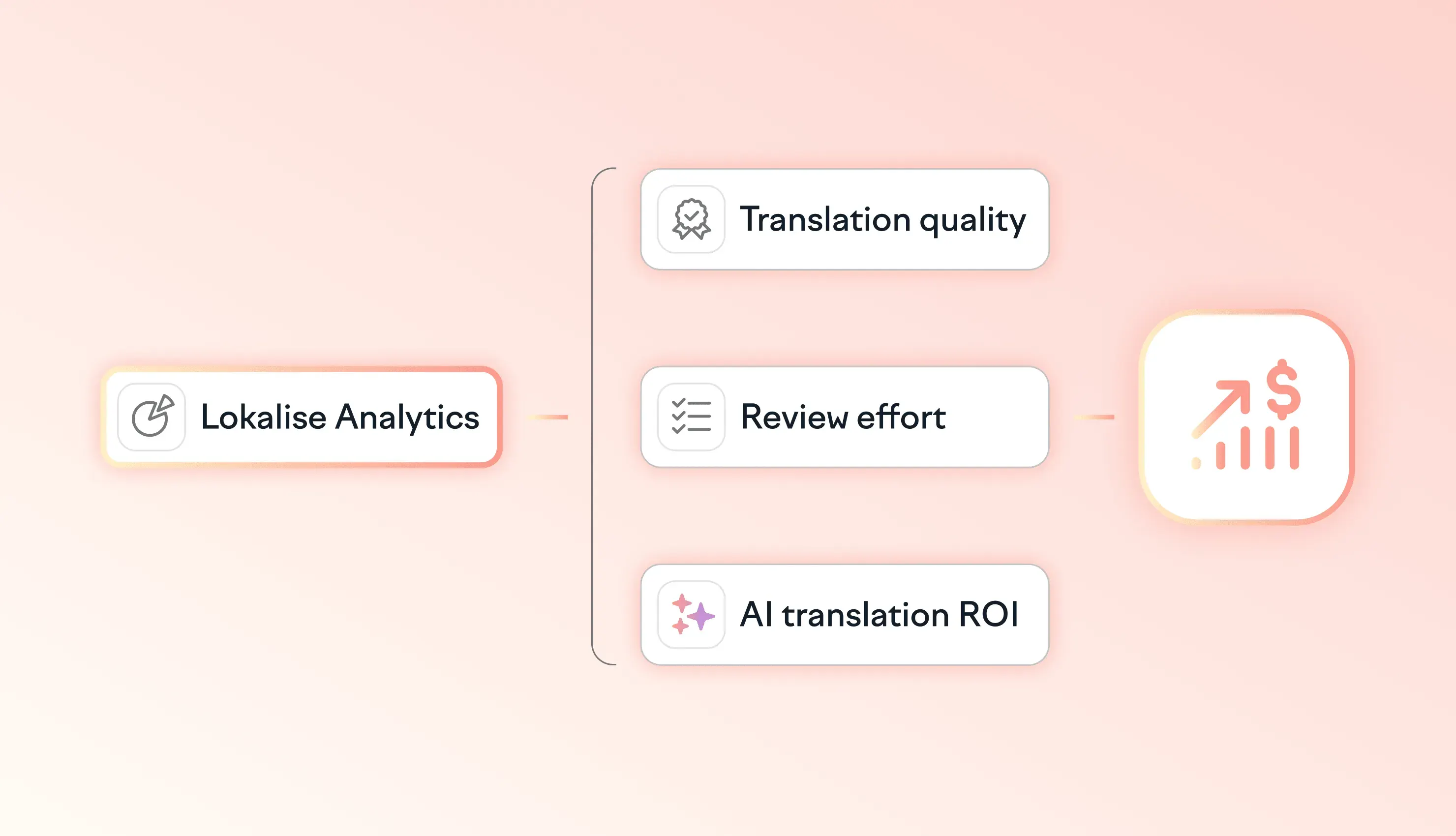
  6. Track: Lokalise Analytics provides visibility into translation volume, turnaround times, and quality metrics across all projects.

Enterprise security and governance

Lokalise holds SOC 2 Type II, ISO 27001, and ISO 27017 certifications. Enterprise controls include:

  • SSO/SAML authentication and SCIM provisioning for automated user management
  • Role-based access control (RBAC) to restrict access by project, language, or function
  • Audit logs for compliance tracking
  • EU data residency
  • 99.9%+ uptime SLA with dedicated customer success management

For enterprise procurement teams evaluating a TMS, these controls mean Lokalise passes the security review without exceptions or workarounds.

Frequently asked questions

What enterprise systems does Lokalise integrate with?

Does Lokalise integrate with Salesforce?

How does Lokalise connect to a CMS?

How does the Lokalise API work for large-scale translation workflows?

What DAM integrations does Lokalise support?

Is Lokalise secure enough for enterprise use?

Developer Guides & Tutorials·Global Growth & Strategy

Author

1517544791599.jpg

Lead of content, SDK/integrations dev

Ilya is the lead for content, documentation, and onboarding at Lokalise, where he focuses on helping engineering teams build reliable internationalization workflows. With a background at Microsoft and Cisco, he combines practical development experience with a deep understanding of global product delivery, localization systems, and developer education.

He specializes in i18n architectures across modern frameworks — including Vue, Angular, Rails, and custom localization pipelines — and has hands-on experience with Ruby, JavaScript, Python, Elixir, Go, Rust, and Solidity. His work often centers on improving translation workflows, automation, and cross-team collaboration between engineering, product, and localization teams.

Beyond his role at Lokalise, Ilya is an IT educator and author who publishes technical guides, best-practice breakdowns, and hands-on tutorials. He regularly contributes to open-source projects and maintains a long-standing passion for teaching, making complex internationalization topics accessible to developers of all backgrounds.

Outside of work, he keeps learning new technologies, writes educational content, stays active through sports, and plays music. His goal is simple: help developers ship globally-ready software without unnecessary complexity.

best tms for developers

Best TMS platforms for developers: API, CLI, and SDK support compared

Developer-focused translation management systems (TMS) are designed to fit into existing engineering workflows. Instead of relying on manual exports, imports, and handoffs, they help teams automate localization through APIs, version control, CI/CD pipelines, and SDKs. This guide compares the best TMS platforms for developers, based on what actually matters in practice:

Read more Best TMS platforms for developers: API, CLI, and SDK support compared

MCP vs REST API.webp

MCP vs REST API for Localization: When to Use Each

Lokalise gives developers two programmatic ways to manage localization workflows: the REST API and the MCP Server. In any MCP vs API localization decision, the key point is that one does not replace the other. The REST API is built for scripted, repeatable, deterministic automation, such as CI/CD pipelines, batch imports, and webhook-driven deployments.

Read more MCP vs REST API for Localization: When to Use Each

A small pink circle surrounded by three dashed concentric rings on a dark background, illustrating the concept of a brand being isolated or out of reach in AI search.

Your AEO strategy is invisible to almost 80% of the world

What you'll learn in this article: Why AI answer engines have a built-in language bias — and what it means for your brand's global visibilityThe four signals that determine whether your brand gets cited in AI search resultsHow to build the content infrastructure that earns A

Read more Your AEO strategy is invisible to almost 80% of the world

Stop wasting time with manual localization tasks.

Launch global products days from now.

  • Lokalise_Arduino_logo_28732514bb (1).svg
  • mastercard_logo2.svg
  • 1273-Starbucks_logo.svg
  • 1277_Withings_logo_826d84320d (1).svg
  • Revolut_logo2.svg
  • hyuindai_logo2.svg