
Automate Contentful localization and go global with less effort
The Lokalise and Contentful app lets you adapt content for every market and language through task automation and translations powered by AI orchestration. Unlock continuous, accurate, and cost-effective localization at scale, so publish multilingual content faster.
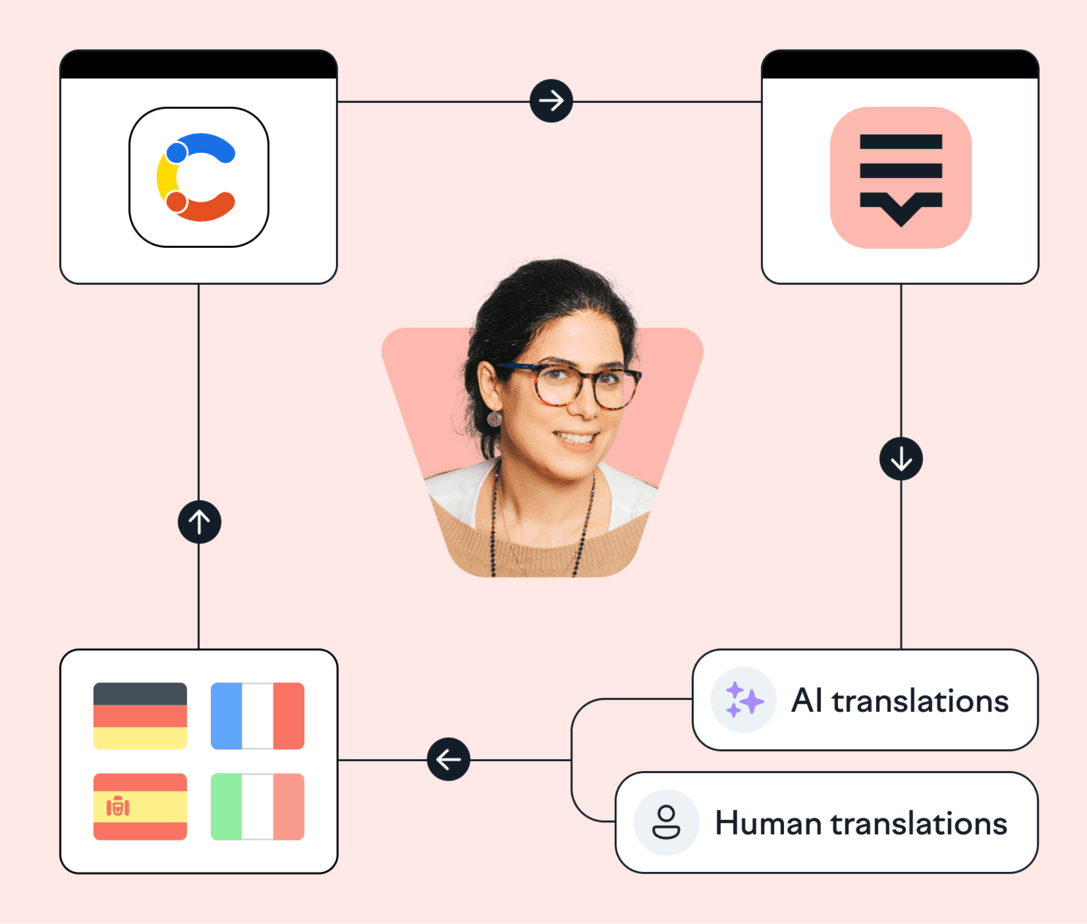
Lokalise is loved by tech teams at 3000+ global companies
























Adapt content for every market in one place with Lokalise and Contentful

Instant high-quality translation
Get instant and accurate translations powered by AI orchestration - or order translations directly through integrations with our language service providers.

Simplified workflow
Make it simple for teams to adapt content for every market and language—all in one place. Automate processes to get multilingual content ASAP!

RichText support
Lokalise supports RichText and pages with multiple layers of referenced entries, so you can translate dynamic content more efficiently.

Reduced costs of localization
Lokalise auto-saves past translations so you can reuse them without paying extra.
⚙️ How to set up
Lokalise and Contentful
Go to the ‘Apps’ page inside Lokalise
Search for Contentful and click Install
Give Lokalise Apps the access rights needed via OAuth2
🔧 What you’ll need
You’ll need to create a new marketing-type project in Lokalise
Add target languages to your Contentful project under the ‘Locales’ settings
Match ISO codes (en-US, fr-FR, or es-ES) in Lokalise and Contentful to synchronize content
Managing Contentful translation for multiple languages
Export
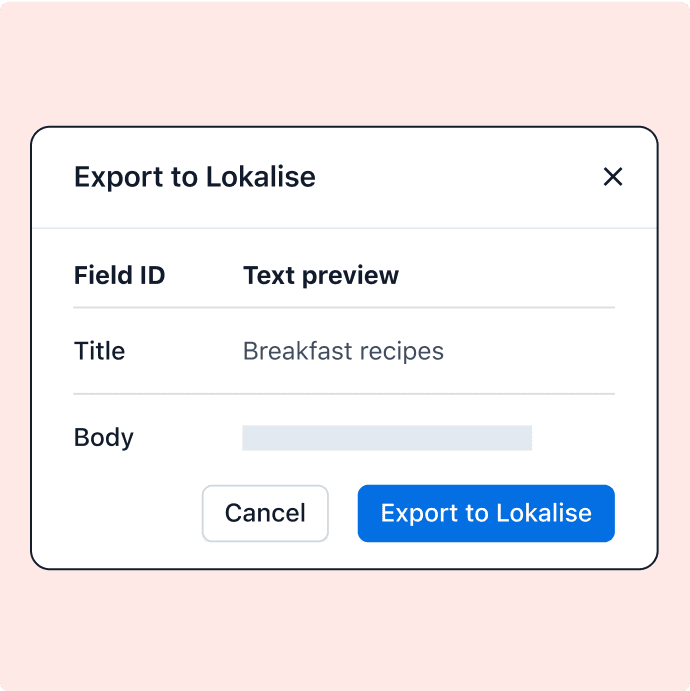
Export content to Lokalise as soon as it's ready in the original language.
Translate
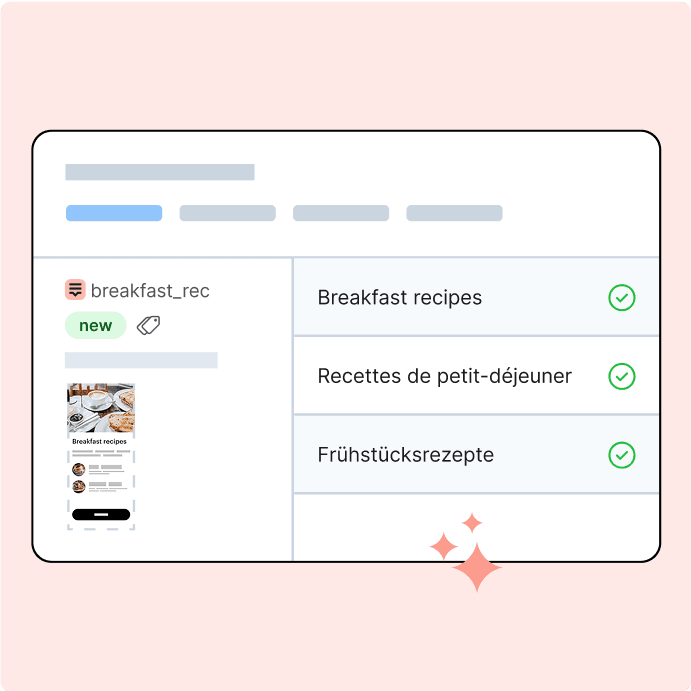
Use built-in AI translation for spot-on multilingual content in multiple languages, in minutes.
Publish
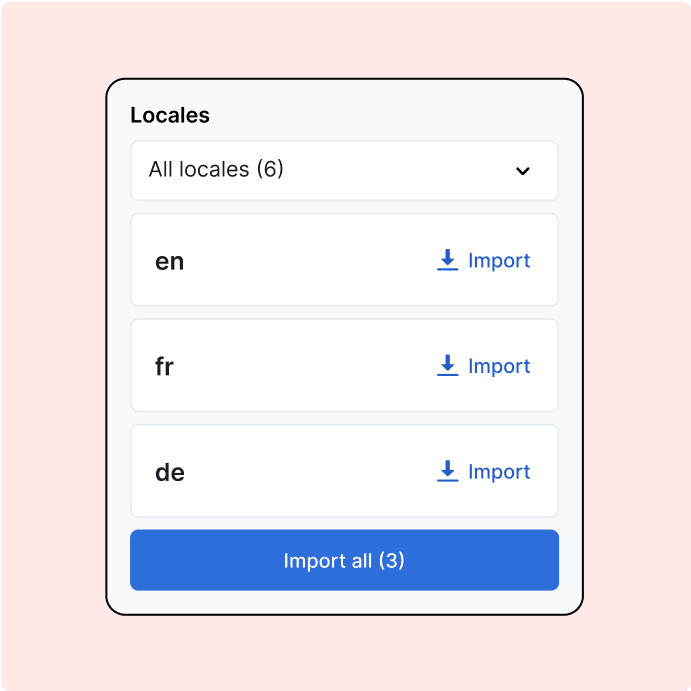
Import translated content to Contentful and publish with one click.
“We chose Lokalise in a pretty rigorous interview process. A lot of that had to do with the robustness of the different connectors supported. So for all the different things from GitHub to Zendesk to different CMS plugins such as Contentful”
Joaquín Muñoz
Localization Manager at Life360


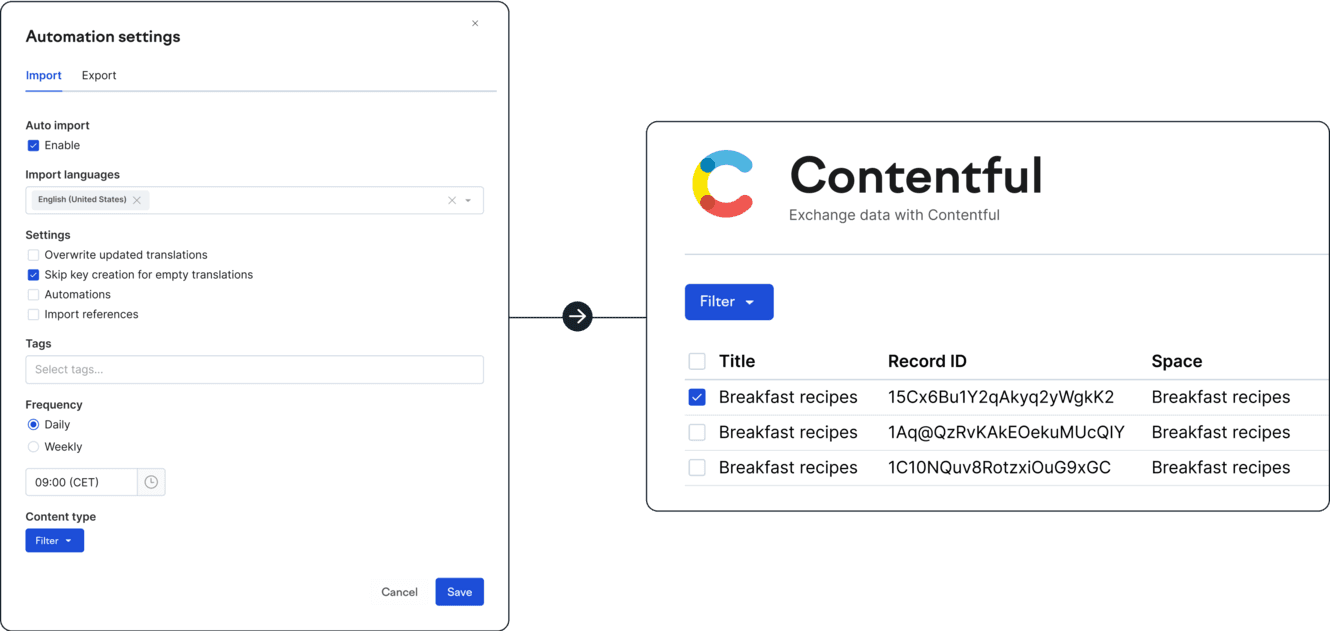
💡 Tip: schedule content syncs
Schedule automatic imports and exports daily or weekly, eliminating the need to do it manually, to keep your content fresh and optimized in every language.
Get multilingual content in minutes
Unlock continuous, accurate, and cost-effective localization at scale and publish multilingual content faster.
FAQs
How do I connect Contentful to Lokalise?
How do I connect Contentful to Lokalise?
To set up the app for your project:
- Navigate to the Apps page once logged into Lokalise
- Find Contentful in the list, click install, and then connect
- Authorize via OAuth2
Once you authorize, the list of spaces and relevant content types will appear. If you need to connect a different Contentful account in the future, you should first log out of Contentful on their platform. Then, when you navigate to the Lokalise app page, you will be prompted to enter login credentials for Contentful. At this point, you can provide the details for the new account.
Which field styles are supported for syncing?
Which field styles are supported for syncing?
Only the following field types are supported for syncing: Text, Symbols, RichText, and assets. RichText fields are fully compatible with common formatting options like bold, italic, underline, superscripts, subscripts, code, links, lists, tables, and quotes. You can also use combinations of these formatting styles.
Why is my content not syncing?
Why is my content not syncing?
Make sure you’ve added target languages in Contentful too. You can do this under the Locales settings by clicking the Add locale button. Once a language is added in the Contentful settings, you have to connect this language to your data. You have to be sure that an added language has the same ISO codes in both Lokalise and Contentful, so they can be successfully synchronized.
Should I create a separate project for Contentful localization and translation?
Should I create a separate project for Contentful localization and translation?
Yes, we recommend using a separate Lokalise project for Contentful data localization.
How can I make sure translations don’t go over character limits?
How can I make sure translations don’t go over character limits?
Lokalise respects character limits set in Contentful. There are two types of limits: user-defined and system-defined (technical). If a field has a user-defined character limit then it will be set for the corresponding translation key on Lokalise. If there's no user-defined limit then a technical limit will be applied:
- Short text field — 255 characters
- Long text field — 50000 characters
- Short text, list field — 1000 items per field
- Rich Text field — 200 000 characters
Case studies


Behind the scenes of localization with one of Europe’s leading digital health providers
Read more Case studiesSupport

Company
Follow



Localization workflow for your web and mobile apps, games and digital content.
©2017-2026
All Rights Reserved.